Next.js Google Indexing: The Complete Guide for App Router and Pages Router
Navigate SSG, SSR, ISR, and client components to make every route discoverable by Google
In this guide
Next.js is the most popular React framework for production apps, and its rendering model -- spanning SSG, SSR, ISR, and client-side rendering -- creates both powerful opportunities and subtle indexing pitfalls. Some routes serve perfect HTML on first request; others send an empty shell requiring JavaScript execution.
This guide covers both the App Router and Pages Router, walking through the Metadata API, generateStaticParams, programmatic sitemaps with sitemap.ts, robots.ts configuration, structured data, and the specific pitfalls that cause Next.js pages to appear blank to Googlebot.
Rendering Strategies and Their Impact on Indexing
Next.js offers four rendering strategies, and each one has different implications for how (and whether) Googlebot sees your content.
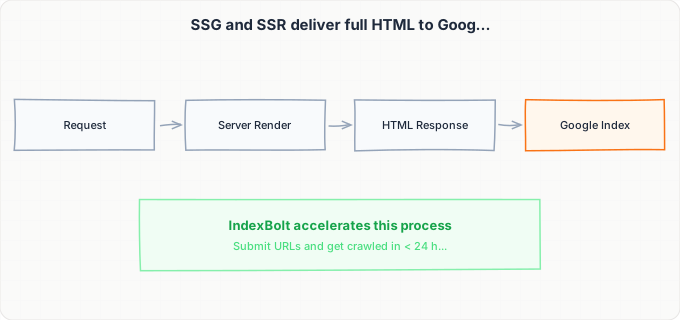
Static Site Generation (SSG) is the gold standard for indexing. Pages are rendered to complete HTML at build time and served as static files. Googlebot receives fully formed HTML immediately -- no JavaScript execution required. In the App Router, any Server Component that does not call dynamic functions (like cookies(), headers(), or searchParams) is statically rendered by default. In the Pages Router, you achieve SSG by exporting getStaticProps.
Server-Side Rendering (SSR) generates HTML on each request. Googlebot receives complete HTML just like with SSG, but the page is not cached (unless you add caching headers). SSR is triggered in the App Router by using dynamic functions or setting export const dynamic = "force-dynamic" on a route segment. In the Pages Router, you use getServerSideProps. SSR is reliable for indexing but slower than SSG because each crawl request triggers a full render.
Incremental Static Regeneration (ISR) is a hybrid: the page is statically generated at build time, served from cache, and regenerated in the background after a configurable time interval. In the App Router, ISR is achieved by setting export const revalidate = 3600 (in seconds) on a page or layout. In the Pages Router, you add revalidate to the return value of getStaticProps. ISR is excellent for indexing -- Googlebot gets fast static HTML, and the content stays reasonably fresh.
Client-side rendering (CSR) is where indexing problems arise. If a component is marked with "use client" and fetches data in a useEffect hook, the initial HTML sent to the browser (and to Googlebot) contains nothing but a loading state. While Googlebot can execute JavaScript to some degree, it processes JavaScript in a secondary indexing pass that may happen hours or days later -- and complex client-side data fetching often fails silently in Google's rendering environment.
The rule: any content you want indexed must be present in the initial server-rendered HTML, not loaded via client-side JavaScript after hydration.
The Metadata API: generateMetadata and Static Metadata
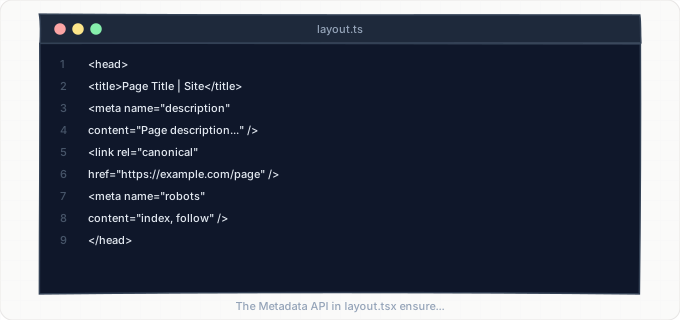
The App Router introduced a powerful Metadata API that replaces the old <Head> component from the Pages Router. There are two ways to define metadata: static exports and the dynamic generateMetadata function.
For static metadata, export a metadata object from any page.tsx or layout.tsx file. This works well for pages with known, fixed metadata.
For dynamic routes where metadata depends on data (like a blog post slug), use generateMetadata. This async function receives the route params and can fetch data to construct metadata dynamically.
A critical point: generateMetadata runs on the server, so it always executes for Googlebot requests. If you instead set metadata in a "use client" component using document.title or a third-party head manager, Googlebot may not pick it up during its initial HTML parse. Always define metadata through the server-side Metadata API.
The Metadata API supports the full range of meta tags:
titleanddescriptionopenGraphandtwitterfor social sharingrobotsfor indexing controlalternatesfor hreflang and canonical URLsverificationfor Google Search Consoleiconsfor favicons
For canonical URLs, use the alternates.canonical field. For pages with language variants, populate alternates.languages with a map of locale codes to URLs.
In the Pages Router, metadata is handled by importing Head from "next/head" and placing meta tags inside it within your component. While this still works, it has limitations: Head content is only processed after React rendering, and complex nested Head components can lead to tag duplication. If you are starting a new project, use the App Router's Metadata API.
Generating Sitemaps with sitemap.ts and sitemap.xml
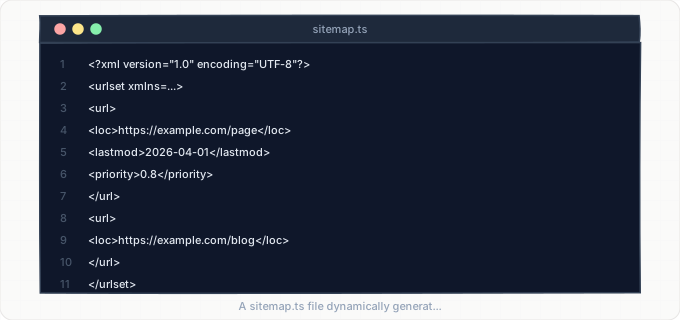
Next.js App Router supports programmatic sitemap generation through a special sitemap.ts (or sitemap.xml/route.ts) file placed in the app directory. The simplest approach is creating app/sitemap.ts that exports a default function returning an array of sitemap entries.
This generates /sitemap.xml automatically. The function runs at request time in development and at build time in production (for static exports) or on each request (for dynamic rendering).
For large sites with more than 50,000 URLs, use the sitemap index pattern. Create app/sitemap.ts that returns a sitemap index pointing to multiple sub-sitemaps, then create individual route handlers for each sub-sitemap (e.g., app/sitemaps/[id]/route.ts). Google's sitemap specification allows up to 50,000 URLs per sitemap file and up to 500 sitemap files in an index.
The crucial mistake developers make is forgetting to include dynamic routes in the sitemap. If your app has a route like /blog/[slug], the sitemap function must query your database or CMS to get every valid slug and generate URLs for each one. Simply listing /blog/[slug] in the sitemap is meaningless -- Google needs the actual, resolved URLs.
In the Pages Router, there is no built-in sitemap generation. You have two options:
- Use the
next-sitemapnpm package (generates sitemaps at build time by reading your pages directory andgetStaticPathsoutput) - Create a custom API route at
pages/api/sitemap.tsthat generates XML dynamically
The next-sitemap package is the most common choice and supports server-side sitemaps, robotsTxt generation, and multiple sitemap splitting.
Dynamic Routes: generateStaticParams and Fallback Behavior
Dynamic routes (app/blog/[slug]/page.tsx) are the most common source of indexing gaps in Next.js applications. Without proper configuration, dynamic routes may not be pre-rendered at build time, which means Googlebot encounters either a 404 or a loading state on first visit.
In the App Router, export a generateStaticParams function from your dynamic page to pre-render specific paths at build time. Every slug returned by this function becomes a statically generated page.
But what about slugs that do not exist in generateStaticParams? This is controlled by the dynamicParams export:
- `dynamicParams = true` (default) -- Next.js attempts to server-render unmatched slugs on demand and cache the result
- `dynamicParams = false` -- unmatched slugs return a 404
For SEO, the default (true) is usually correct because it allows newly published content to be rendered without a full rebuild.
In the Pages Router, the equivalent is getStaticPaths with a fallback parameter:
- `fallback: false` -- returns 404 for unknown paths
- `fallback: true` -- renders a loading page on first request (Googlebot sees the loading state, which is terrible for indexing)
- `fallback: "blocking"` -- blocks the response until the page is fully rendered, then caches it
For SEO, always use `fallback: "blocking"` in the Pages Router.
The interaction between generateStaticParams and ISR is important. If you set revalidate on a dynamic page, pre-rendered pages regenerate in the background after the revalidation period. New slugs not in generateStaticParams are rendered on first request (if dynamicParams is true) and then cached with ISR. This combination gives you the best of both worlds: fast static serving for known pages and on-demand rendering for new content.
robots.ts, Noindex Rules, and Crawl Control
The App Router supports a robots.ts file at app/robots.ts that programmatically generates /robots.txt.
Key Next.js-specific considerations for robots.txt:
- Always block
/api/routes (they return JSON, not HTML) - Block
/_next/data/(JSON data for client-side navigation that should not be indexed as standalone pages) - Block any authenticated dashboard routes
- Do NOT block
/_next/static/-- this contains CSS and JS files that Googlebot needs to render your pages properly
For page-level noindex control, use the robots field in the Metadata API. Set robots: { index: false } in the metadata export of any page you want excluded from search results. This is appropriate for:
- Authentication pages (
/login,/register) - User dashboards
- API documentation behind auth
- Any page with personalized content
Middleware (middleware.ts at the project root) can also affect indexing. If your middleware performs redirects for authentication or locale detection, make sure Googlebot is not caught in redirect loops.
A common safe pattern is middleware that redirects unauthenticated users from /dashboard to /login -- this is fine because you want /dashboard noindexed anyway. But middleware that redirects based on geolocation can trap Googlebot (which crawls from US-based IPs) into always seeing the US version, preventing other locale versions from being indexed.
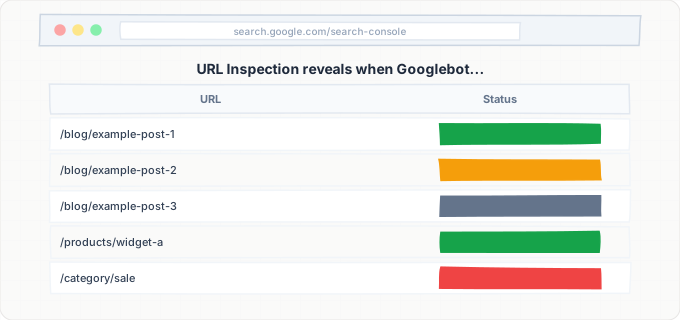
Test your middleware behavior with Google Search Console's URL Inspection tool to see exactly what Googlebot encounters.
Structured Data and Open Graph for Rich Search Results
Structured data (JSON-LD) is critical for earning rich results in Google: star ratings, FAQ accordions, breadcrumbs, article publish dates, and more. In the App Router, the cleanest approach is to create a JsonLd Server Component that renders a <script type="application/ld+json"> tag.
This component should accept typed props matching Schema.org types (Article, FAQPage, Product, BreadcrumbList, Organization) and serialize them into the script tag. Because it is a Server Component, the JSON-LD is present in the initial HTML that Googlebot receives -- no client-side execution needed.
For Open Graph tags, use the openGraph field in your Metadata API export. Include:
og:titleandog:descriptionog:image(with dimensions)og:url,og:type, andog:locale
For Twitter Cards, use the twitter field. These tags must be present in the HTML <head>, which the Metadata API handles automatically.
A common mistake in Next.js applications is generating structured data on the client side. If you use a "use client" component to fetch product reviews and then generate a JSON-LD block with the aggregate rating, Googlebot's initial HTML parse may not include the structured data. Always generate structured data in Server Components or in `generateMetadata`. Google's Rich Results Test tool lets you test specific URLs to verify your structured data is visible to crawlers.
Breadcrumb structured data is especially valuable for Next.js apps with nested routes. If your app structure is /blog/category/post-slug, generate a BreadcrumbList schema with items for Home, Blog, the category page, and the current post. This gives Google explicit navigation hierarchy information and can result in breadcrumb display in search results instead of the raw URL.
Step-by-Step Guide
Audit Your Rendering Strategy Per Route
Check next.config.ts for global output settings. Review each page.tsx and classify it: dynamic functions = SSR, revalidate export = ISR, generateStaticParams = pre-rendered, "use client" with useEffect data fetching = CSR (indexing risk). Build a spreadsheet of every route, its strategy, and whether critical content appears in the initial HTML.
Implement the Metadata API on Every Route
For each page.tsx and layout.tsx in your App Router, add either a static metadata export or a generateMetadata function. At minimum, every page needs a unique title and description.
- For your root layout (
app/layout.tsx), set default metadata using thetitle.templatefield (e.g.,title: { template: "%s | YourApp", default: "YourApp" }) - For dynamic routes like
/blog/[slug], implementgenerateMetadatathat fetches the content and returns page-specific metadata - Add
alternates.canonicalto every page to define the canonical URL explicitly - If your app supports multiple languages, populate
alternates.languages
Do not set metadata in "use client" components -- always use server-side metadata exports.
Create sitemap.ts and robots.ts
Create app/sitemap.ts that exports a default async function returning an array of sitemap entries. Query your database or CMS for all dynamic content (blog posts, product pages, category pages) and generate a full URL for each.
Set priority values:
- 1.0 for homepage
- 0.8-0.9 for key landing pages
- 0.5-0.7 for regular content
Include lastModified dates for each entry.
Create app/robots.ts that returns rules blocking /api/, /_next/data/, /admin/, and any authenticated routes, while allowing everything else and specifying your sitemap URL.
Deploy and verify /sitemap.xml returns valid XML and /robots.txt returns valid directives by visiting them in your browser.
Pre-render Dynamic Routes with generateStaticParams
Export generateStaticParams from every dynamic route to pre-render valid paths at build time. Combine with dynamicParams: true and revalidate so new content is server-rendered on first request and cached via ISR. In the Pages Router, use fallback: "blocking" instead of fallback: true to avoid serving loading states to Googlebot.
Move Critical Content Out of Client Components
Review every "use client" component that displays content you want indexed. If the component fetches data using useEffect, useSWR, or React Query and renders it client-side, Googlebot may not see that content.
Refactor pattern: Move data fetching to a Server Component parent and pass the data as props to the client component. The client component can still handle interactivity (click handlers, state), but the initial content should be present in the server-rendered HTML.
Test: Disable JavaScript in your browser and load each page. What you see without JavaScript is approximately what Googlebot sees on its initial HTML parse.
Add Structured Data for Rich Results
Create a reusable Server Component for JSON-LD structured data. Add the appropriate schema types:
- Blog posts --
Articleschema withheadline,author,datePublished,dateModified, andimage - Product pages --
Productschema withname,description,price, andaggregateRating - All nested pages --
BreadcrumbListschema for navigation hierarchy - Homepage --
Organizationschema
Validate every structured data implementation using Google's Rich Results Test by entering your live URLs. Fix any errors or warnings before moving on.
Remember: all structured data must be in Server Components so it appears in the initial HTML.
Submit Critical URLs via IndexBolt and Monitor
Submit your homepage, key landing pages, and high-priority content through IndexBolt. For a new app, 20-50 URLs bootstraps Google's understanding days faster. Monitor in Search Console's URL Inspection -- verify the page fetch shows complete HTML, not loading states. Investigate any "Discovered - currently not indexed" routes for rendering issues.
Common Issues & How to Fix Them
Pages show blank content or loading spinners to Googlebot
Cause: Content is fetched inside a "use client" component using useEffect or a client-side data fetching library. The initial server-rendered HTML contains only the loading state (a spinner, skeleton, or empty div). Googlebot's initial HTML parse sees no content, and its secondary JavaScript rendering pass may fail due to API authentication, CORS issues, or rendering timeout.
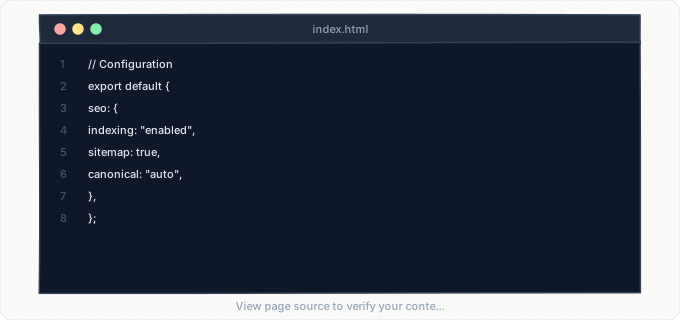
Fix: Move data fetching to Server Components or use generateStaticParams with static generation. Pass data as props to client components that need interactivity. For the Pages Router, use getStaticProps or getServerSideProps instead of client-side fetching. Test by viewing the page source (not the rendered DOM in DevTools) -- the source should contain your actual content text.
Dynamic routes return 404 for pages not in generateStaticParams
Cause: The dynamic route has export const dynamicParams = false set, which means any slug not returned by generateStaticParams produces a 404. On the Pages Router, getStaticPaths with fallback: false behaves the same way. Newly published content that was not present at build time is unreachable.
Fix: Set dynamicParams to true (the default) and add a revalidate period so newly generated pages are cached via ISR. In the Pages Router, switch from fallback: false to fallback: "blocking". Then ensure your sitemap.ts dynamically queries for all current content so new pages appear in the sitemap even if they were not pre-rendered at build time.
Sitemap does not include dynamically generated pages
Cause: The sitemap.ts file was written with a static list of URLs and does not query the database or CMS for dynamic content. Or the sitemap was generated at build time using next-sitemap but the build was not re-run after new content was published. New blog posts, product pages, or category pages are missing from the sitemap.
Fix: Rewrite sitemap.ts to dynamically query your content source (database, headless CMS API, or file system) every time it is requested. For ISR-based sites, set revalidate on the sitemap route so it regenerates periodically. If using next-sitemap in the Pages Router, configure server-side sitemap generation or set up a cron job to trigger rebuilds when content changes.
Middleware redirects prevent Googlebot from accessing locale-specific pages
Cause: Locale detection middleware reads the Accept-Language header or uses IP-based geolocation to redirect visitors to a locale-specific path (e.g., /en-us/, /fr/). Googlebot primarily crawls from US-based IPs with English headers, so it always gets redirected to the US English version. Pages for other locales are never crawled or indexed.
Fix: Do not redirect Googlebot based on geolocation or Accept-Language. Instead, serve the default locale content and rely on hreflang tags (set via alternates.languages in the Metadata API) to tell Google about locale variants. In your middleware, you can check the User-Agent for Googlebot and skip locale redirects for it, or better yet, use hreflang as the primary locale signal and only use middleware redirects as a convenience for real users.
loading.tsx files show placeholder content that gets indexed
Cause: Next.js App Router uses loading.tsx to display instant loading UI via React Suspense while a page is being rendered. If the page uses SSR (dynamic rendering), Googlebot's initial request may receive the loading.tsx content instead of the actual page. This is especially likely for pages with slow data fetching.
Fix: For pages with critical SEO content, prefer static generation or ISR over dynamic rendering. If dynamic rendering is necessary, ensure data fetching completes quickly (under 5 seconds) so the streaming response delivers actual content before Googlebot's timeout. Consider moving heavy data fetching into client components that enhance the page after the critical server-rendered content is already present.
Next.js Image component generates URLs that clog crawl budget
Cause: The Next.js Image component optimizes images through /_next/image?url=...&w=...&q=... paths. Each width and quality combination generates a unique URL. If these URLs are not blocked in robots.txt, Googlebot may spend crawl budget fetching image optimization endpoints instead of actual page content.
Fix: Add Disallow: /_next/image to your robots.ts file to prevent Googlebot from crawling image optimization URLs directly. The actual images referenced in your pages' <img> tags will still be discoverable and indexable through your pages' HTML. This saves significant crawl budget on image-heavy sites.
Pro Tips
Deployed a new Next.js app or added dynamic routes? Google may take weeks to discover pages rendered on demand. Use IndexBolt to push your freshly built pages directly into Google's indexing queue -- especially critical for SSR and ISR routes that have no build-time URL footprint.
100 free credits. No credit card required. See results in under 24 hours.
Frequently Asked Questions
Does Googlebot execute JavaScript in Next.js applications?+
Yes, Googlebot has a JavaScript rendering engine based on a recent version of Chromium. However, JavaScript rendering happens in a secondary indexing pass that may occur hours or even days after the initial HTML crawl. This means content that only appears after JavaScript execution is indexed with a delay -- and complex client-side data fetching (especially to authenticated APIs) may fail entirely in Google's rendering environment. For reliable indexing, ensure all critical content is present in the initial server-rendered HTML using Server Components, getStaticProps, or getServerSideProps.
Should I use the App Router or Pages Router for better SEO?+
The App Router has superior SEO tooling, including the built-in Metadata API, sitemap.ts, robots.ts, and Server Components that render content server-side by default. The Pages Router works fine for SEO but requires more manual work: you need the next/head component for metadata, third-party packages like next-sitemap for sitemaps, and getStaticProps/getServerSideProps for server rendering. For new projects, the App Router is the clear choice. For existing Pages Router projects, there is no urgent need to migrate -- focus on ensuring you have proper getStaticProps/getServerSideProps in place and a working sitemap.
How does ISR affect Google indexing?+
Incremental Static Regeneration is excellent for indexing. Googlebot receives statically cached HTML instantly (fast response time improves crawl efficiency), and the content regenerates in the background to stay fresh. The only consideration is the revalidation period: if you set revalidate to 3600 (one hour), content changes may take up to one hour to appear in the cached page. For time-sensitive content, use a shorter revalidation period or trigger on-demand revalidation via webhooks. From Google's perspective, ISR pages behave identically to static pages -- they are fast, fully rendered, and reliable.
My Next.js pages show 'Discovered - currently not indexed' in Search Console. Why?+
This status means Google found the URL (through your sitemap or internal links) but has not yet rendered and indexed it. For Next.js apps, this commonly happens when: (1) the page uses client-side rendering and Googlebot's initial HTML crawl found no content, so it deprioritized the page; (2) the page has thin content that Google considers low-value; (3) your site is new and Google has not allocated enough crawl budget yet; or (4) the page has a canonical tag pointing elsewhere. Use the URL Inspection tool to fetch the page as Googlebot and examine the rendered HTML. If it is empty or shows a loading state, you have a rendering problem to fix.
How do I handle canonical URLs in Next.js for pages with query parameters?+
In the App Router Metadata API, set alternates: { canonical: "https://yourdomain.com/page" } without query parameters. This tells Google that the base URL is the canonical version, regardless of any tracking parameters, pagination, or filter parameters appended to it. For pages where query parameters create meaningfully different content (like paginated search results), either generate unique canonical URLs for each page (alternates: { canonical: "https://yourdomain.com/search?page=2" }) or use a single canonical pointing to page 1 and rely on internal links for Google to discover subsequent pages.
Can I use IndexBolt with Next.js to speed up indexing of new pages?+
Absolutely. IndexBolt is especially valuable for Next.js applications because many Next.js sites use ISR or on-demand rendering, meaning new pages do not have static URLs that Google discovers through traditional crawling. After publishing new content, use the IndexBolt API or dashboard to submit the URLs directly to Google's indexing pipeline. This is particularly effective for e-commerce product pages generated on demand, new blog posts in a headless CMS setup, or landing pages deployed as part of a feature launch. Normal mode works for routine content; use Instant mode for product launches or time-sensitive pages.