New Website Not Showing in Google: How to Get Your New Site Indexed
You built a brand new website and Google does not even know it exists. Learn how to break through the discovery barrier and get your fresh domain into Google's index from day one.
In this guide
Your new website looks great but Google does not know it exists. The fundamental problem: Google discovers pages by following links from pages it already knows about. A brand new domain has zero backlinks, so Google has no crawl path to find it.
Many new site owners compound this by leaving robots.txt blocks, missing Search Console verification, or keeping development noindex tags in place. This guide walks through the technical prerequisites, discovery acceleration techniques, and ongoing practices to take your new site from invisible to fully indexed.
The New-Site Discovery Problem Explained
Google's web crawler, Googlebot, discovers new pages primarily by following links from pages it has already crawled and indexed. This creates a fundamental bootstrapping problem for new websites. If no existing page on the entire internet links to your new domain, Googlebot has no way to find it through its normal crawling process. Your site could exist for months without Google ever knowing about it.
This is fundamentally different from the situation established sites face when adding new pages. An established site with existing Google presence gets crawled regularly. When it publishes a new page and links to it from an already-indexed page, Google typically discovers the new page within hours or days during its next scheduled crawl of the site. A new site has no scheduled crawl because Google does not know it exists.
There is a common myth about "domain age" affecting indexing, specifically the idea that Google intentionally delays indexing for new domains as a form of probationary period or "sandbox." There is no official Google sandbox for new domains. The reality is simpler: new domains take longer to get indexed because they have no backlinks, no crawl history, no authority signals, and no Google Search Console verification. Each of these can be addressed directly.
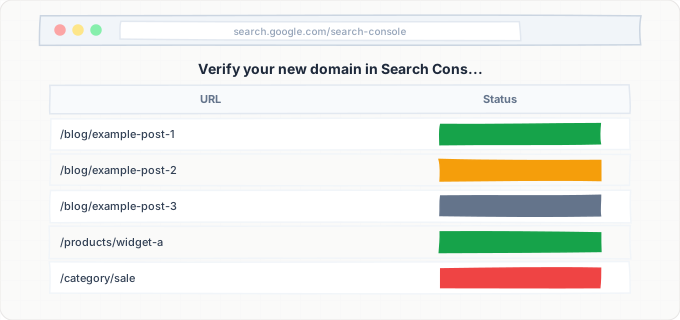
Google Search Console is the single most important tool for new site owners because it provides a direct communication channel with Google. By verifying your domain in Search Console and submitting a sitemap, you are essentially telling Google: "This site exists, here are all its pages, please come crawl them." This bypasses the need for Googlebot to discover your site through external links. Google typically processes a new Search Console sitemap submission within 48 to 72 hours, though it may take longer to index all pages depending on the volume of content and quality signals.
Another discovery channel is Google's indexing API, which services like IndexBolt use to submit URLs directly. Unlike the passive sitemap approach where you submit URLs and wait for Google to crawl them at its convenience, API-based indexing requests tell Google to prioritize crawling specific URLs immediately. For new sites, this can compress the initial indexing timeline from weeks down to hours.
Technical Prerequisites for a New Site
Before focusing on discovery and indexing acceleration, you need to verify that your new site is technically configured to allow Google to crawl and index it. Many new sites launch with development-era settings still in place that actively block search engines.
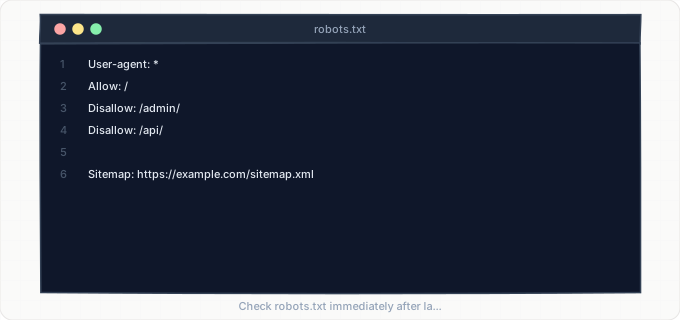
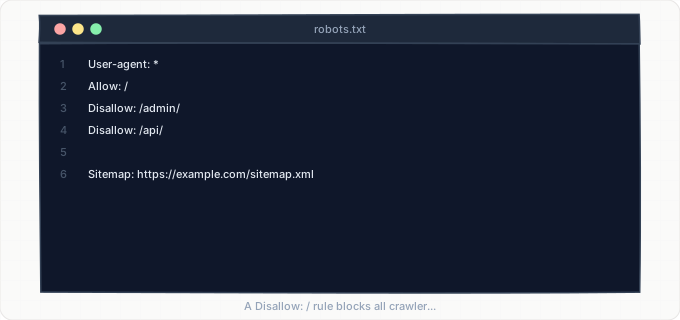
The first check is your robots.txt file. Visit yourdomain.com/robots.txt in your browser. If you see "User-agent: * Disallow: /" then your site is blocking all search engine crawlers from accessing any page. This is a common configuration during development to prevent unfinished sites from being indexed, but it must be removed before or at launch. Your production robots.txt should allow crawling of all pages you want indexed. A minimal robots.txt for a new site should be just: "User-agent: * Allow: /" followed by a sitemap reference.
The second check is meta robots tags. View the HTML source of your homepage and other key pages. Search for "noindex" in the source code. Some CMS platforms and hosting providers add a noindex meta tag to sites during development or trial periods. WordPress, for example, has a "Discourage search engines from indexing this site" checkbox in Settings > Reading that adds a noindex tag to every page. If this was checked during development and never unchecked, your entire site is invisible to Google by design.
The third check is DNS configuration. If your domain was recently registered, DNS propagation can take up to 48 hours. During this period, Googlebot may not be able to resolve your domain name to an IP address and will fail to crawl your site. You can verify DNS propagation is complete by using online DNS checker tools that query DNS servers worldwide.
The fourth check is HTTPS. Google strongly prefers HTTPS sites and may deprioritize HTTP-only sites during indexing. Ensure your SSL certificate is properly installed, your site responds on HTTPS, and HTTP requests redirect to HTTPS with 301 redirects. An improperly configured SSL certificate that generates browser warnings will also deter Google from indexing your pages.
The fifth check is server response codes. Use a bulk URL checking tool to verify that your important pages return a 200 HTTP status code. Pages returning 404, 500, 302, or other non-200 codes will not be indexed. Temporarily overloaded servers that return 503 errors during Googlebot's crawl will cause Google to retry later, but persistent server errors will prevent indexing entirely.
Google Search Console Setup for New Domains
Google Search Console verification is the highest-priority action for any new website. Until your site is verified in Search Console, you have no way to submit a sitemap, request indexing for specific URLs, or diagnose crawling and indexing issues.
For new domains, use the Domain property type rather than the URL prefix type. Domain verification covers all URL variations (HTTP, HTTPS, www, non-www) and all subdomains under a single property. This prevents the common mistake of verifying only one URL variation and missing indexing data for others. Domain verification requires adding a DNS TXT record to your domain's DNS settings. The specific record is provided by Search Console during the verification process.
After verification, your first action is to submit your XML sitemap. Navigate to Sitemaps in the left sidebar and enter your sitemap URL. Most CMS platforms generate a sitemap automatically at /sitemap.xml. If your platform does not generate one automatically, use a sitemap generator tool or plugin to create one. The sitemap should list every page on your site that you want Google to index, along with the last modification date for each page.
For a new site with a small number of pages (under 50), you can also use the URL Inspection tool to request indexing for each page individually. Enter a URL, wait for the inspection to complete, and then click "Request Indexing." This sends a direct signal to Google to prioritize crawling that specific URL. You can submit approximately 10 to 20 individual requests per day through this method.
After submitting your sitemap and individual indexing requests, monitor the Pages report in Search Console over the following days. You should see your pages move from "Discovered" to "Crawled" to "Indexed" status. If pages remain stuck in "Discovered" status for more than a week, there may be a quality or technical issue preventing Google from investing crawl resources in your site.
One common pitfall for new site owners is creating multiple Search Console properties for the same site. Do not create separate properties for http://, https://, www, and non-www versions. Use the single Domain property that covers all variations. Multiple properties fragment your data and make it harder to diagnose issues.
Accelerating Initial Indexing Beyond Search Console
Search Console is necessary but not always sufficient for fast indexing of a new site. Google may acknowledge your sitemap submission but still take days or weeks to actually crawl and index your pages. Several additional strategies can accelerate the process.
The most effective acceleration method is generating external discovery signals. Google crawls social media platforms, web directories, and community forums regularly. Creating profiles on Google Business Profile (if applicable), social media platforms, and industry-specific directories generates links to your domain that Googlebot will encounter during its regular crawl of those platforms. These links serve two purposes: they provide discovery paths for Googlebot to find your site, and they provide initial authority signals that make Google more willing to invest crawl resources in your domain.
Another acceleration technique is publishing your site URL on platforms where Google's crawl rate is extremely high. Google crawls Twitter, LinkedIn, Reddit, and major forums within hours of new content being posted. Sharing your homepage URL on these platforms with a brief description creates an almost immediate discovery signal. This does not guarantee instant indexing, but it puts your URL in Google's crawl queue through an additional channel.
Content quality plays a larger role in indexing speed for new sites than for established ones. Google is more cautious about indexing pages from unknown domains because it has no historical quality data for the domain. A new site with ten pages of comprehensive, original content will be indexed faster than a new site with ten pages of thin or generic content. Google's algorithms assess the quality of your initial pages to decide how much crawl investment your site deserves going forward. First impressions matter significantly for new domains.
For the fastest possible indexing of a new site, use IndexBolt to submit all your page URLs directly to Google's indexing infrastructure. While Search Console's manual request system limits you to a handful of URLs per day, IndexBolt's bulk submission can process your entire site in one batch. For new sites that need to be visible in search results for a product launch, business opening, or time-sensitive event, this direct submission approach eliminates the waiting period entirely.
Building Initial Authority for Sustained Indexing
Getting your initial pages indexed is only the first step. Maintaining indexing coverage as you add new pages to your site requires building enough authority that Google considers your domain worth crawling regularly. Without this sustained crawl interest, each new page you publish may require manual indexing requests, which is not a scalable long-term approach.
Authority, in Google's context, is primarily measured by the quality and quantity of external links pointing to your domain. A new site with zero backlinks has near-zero authority, which means Google allocates minimal crawl resources to it. As you build backlinks from relevant, reputable sources, Google increases your crawl budget and visits your site more frequently, discovering and indexing new pages faster.
For new sites, the most effective authority-building strategies focus on quality over quantity. A single link from a respected industry publication is worth more than 100 links from low-quality directories. Create content that people in your industry actually want to link to: original research, data studies, comprehensive guides, or useful tools. Reach out to industry contacts, partners, and complementary businesses who might find your content valuable enough to reference.
Another authority signal is consistent content publication. Google monitors how frequently a site publishes new content and adjusts its crawl schedule accordingly. A new site that publishes one new page and then remains static for months will receive minimal ongoing crawl attention. A new site that publishes new, high-quality content weekly will see its crawl rate increase over time as Google learns that the site regularly produces content worth indexing.
Do not neglect technical performance as an authority factor. Google's crawlers are more willing to invest resources in sites that respond quickly and reliably. A new site on a shared hosting plan that frequently returns 503 errors or takes five seconds to load will receive less crawl investment than a new site on reliable hosting with sub-second response times. Invest in decent hosting from day one, as it directly impacts your indexing velocity during the critical early months.
Step-by-Step Guide
Verify Robots.txt and Meta Robots Are Not Blocking Indexing
Visit yourdomain.com/robots.txt and verify no "Disallow: /" rule exists. View your homepage source (Ctrl+U) and search for "noindex" across three to five key pages. If found, remove the directives from your CMS settings, SEO plugin, or hosting configuration. WordPress users: check Settings > Reading and uncheck "Discourage search engines."
Set Up and Verify Google Search Console
Go to search.google.com/search-console and add your domain as a Domain property. Add the required DNS TXT record through your registrar. Verification completes within a few hours (up to 48 hours for DNS propagation). If verification fails, confirm the TXT record is in the correct DNS zone with the exact value Google provided.
Create and Submit Your XML Sitemap
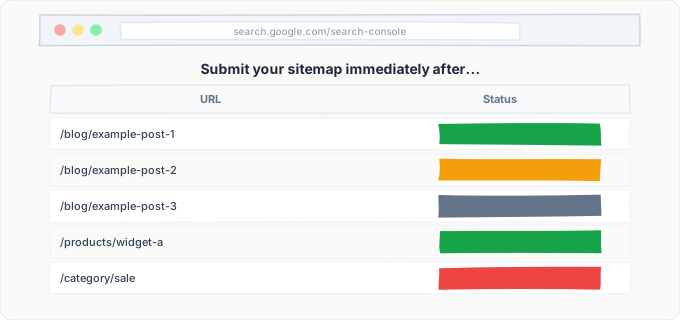
Visit yourdomain.com/sitemap.xml and confirm all target pages are listed. If no sitemap exists, install a plugin or use your CMS's built-in generator. In Search Console, navigate to Sitemaps, enter the URL, and submit. Check back after 24 hours to verify Google read the sitemap and discovered your URLs.
Request Indexing for Your Most Important Pages
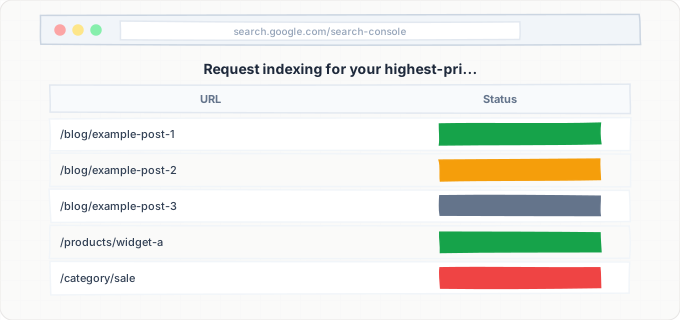
In Google Search Console, use the URL Inspection tool to submit indexing requests for your highest-priority pages. Start with your homepage, then your main service or product pages, then your about and contact pages. Enter each URL into the inspection tool, wait for the inspection to complete, and click "Request Indexing." Google limits these requests, so spread them across two to three days if you have more than 10 to 15 priority pages. For faster, higher-volume submissions, use IndexBolt to submit all your site URLs in a single batch without manual rate limitations.
Create External Discovery Signals
Set up profiles on Google Business Profile (if you have a local presence), LinkedIn (company page), Twitter, and any industry-specific directories relevant to your business. On each profile, include your full website URL. Publish a post on each social platform mentioning your new website with a link to your homepage. If you have any existing business relationships, ask partners or industry contacts to add a link to your site from theirs. Each external link creates a discovery path that Googlebot can follow to find your site independently of Search Console submissions.
Publish High-Quality Initial Content
Ensure your site launches with at minimum five to ten pages of substantial, original content. Thin placeholder pages signal to Google that the site is not ready for indexing. Each page should have at least 500 words of unique content, proper heading structure, relevant images with alt text, and internal links to other pages on your site. If your site currently has minimal content, prioritize creating your core pages before aggressively pursuing indexing. Google will make a quality assessment of your site during its initial crawl, and a negative first impression can reduce crawl investment for months.
Monitor Indexing Progress and Troubleshoot Delays
After completing the previous steps, monitor your Google Search Console Pages report daily for the first two weeks. You should see pages moving from "Discovered" to "Crawled" status within three to five days, and from "Crawled" to "Indexed" within seven to fourteen days for a new domain. If pages remain stuck in "Discovered" for more than a week, your site may have technical issues preventing crawling (check server logs for Googlebot access). If pages are "Crawled - currently not indexed," Google has visited the page but deemed the content insufficient for indexing. Improve the content quality and resubmit. Track your indexed page count over time and investigate any stalls or decreases promptly.
Common Issues & How to Fix Them
Site has been live for a month with zero pages indexed
Cause: The most likely cause is that the site has not been registered in Google Search Console and no sitemap has been submitted. Without these, and with no external backlinks, Google has no way to discover the site. Secondary causes include a robots.txt disallow rule blocking all crawling, a global noindex meta tag left over from development, or an expired or misconfigured SSL certificate that prevents Google from loading pages.
Fix: Work through the technical prerequisites checklist: verify robots.txt allows crawling, confirm no noindex tags are present, validate SSL certificate, register the site in Google Search Console as a Domain property, submit the XML sitemap, and request indexing for the homepage. If these steps were already completed, check the server access logs for Googlebot visits. If Googlebot is not visiting at all, there may be a server-level firewall or CDN rule blocking its IP range.
Homepage is indexed but no other pages are showing up
Cause: Google has discovered and indexed the homepage (typically the first page it crawls) but has not followed internal links to other pages. This happens when internal navigation uses JavaScript links that Google cannot parse, when other pages are significantly lower quality than the homepage, or when the homepage does not link to other pages effectively. Some website builders create single-page websites where all content is on the homepage with anchor links, and Google sees no reason to crawl additional URLs.
Fix: Verify that your homepage HTML source contains standard anchor links (<a href>) to your other pages. Check that other pages have sufficient content quality to warrant indexing. Submit individual page URLs through Google Search Console's URL Inspection tool or through IndexBolt. Ensure your sitemap includes all pages you want indexed, not just the homepage. If using a JavaScript framework, verify that navigation links are rendered in the server-side HTML.
Search Console shows pages as "Discovered" but never crawled
Cause: Google has found the URLs (through your sitemap or internal links) but has not allocated crawl resources to actually fetch them. This is common for new domains with low authority, as Google's crawl scheduler deprioritizes unknown domains. The site may also have slow server response times that discourage Google from allocating crawl bandwidth, or the server may be rate-limiting Googlebot's requests.
Fix: Improve server response speed. Google's crawler is more likely to invest resources in fast-responding servers. Check hosting performance and upgrade if necessary. Build at least a few quality external links to your domain from established sites. Use IndexBolt to submit the stuck URLs directly for indexing, bypassing Google's crawl queue entirely. Monitor crawl stats in Search Console to track whether Google's crawl rate is increasing over time.
Domain was previously owned and has penalties or bad history
Cause: Some previously-owned domains carry over manual actions, spam penalties, or negative quality signals from their previous owners. If the domain was previously used for spam, phishing, or low-quality content farms, Google may have a suppressed crawl or indexing rate associated with the domain. This is uncommon but can happen with expired domains purchased at auction.
Fix: Check Google Search Console's Security & Manual Actions section for any manual actions on the domain. If a manual action exists, address the issues described in the notification and submit a reconsideration request. If no manual actions exist but you suspect negative history, check the Wayback Machine for the domain's previous content. In extreme cases, it may be faster to start with a fresh domain rather than rehabilitating a penalized one. Building high-quality content and legitimate backlinks gradually overrides old negative signals, but it can take six months or more.
Pages indexed on Google but not appearing for any search queries
Cause: Being indexed is not the same as ranking. A page can be in Google's index but appear on page 50 of search results, effectively invisible to users. New sites with zero authority will not rank for competitive queries even after indexing. This is not an indexing problem but a ranking problem, and it is normal for new sites.
Fix: Confirm indexation by searching for your exact page title in quotes. If the page appears, it is indexed but simply not ranking for broader queries. Focus on building topical authority through consistent content publication and backlink acquisition. Target low-competition, long-tail keywords initially rather than competitive head terms. As your domain authority builds over months, rankings will improve for progressively more competitive queries.
Pro Tips
Launching a new website? Do not wait weeks for Google to find you. IndexBolt submits every page on your new site directly to Google's indexing pipeline, bypassing the discovery barrier that keeps new domains invisible. Go from launch to indexed in hours, not months.
100 free credits. No credit card required. See results in under 24 hours.
Frequently Asked Questions
How long does it normally take for a new website to appear in Google?+
With Search Console verification and sitemap submission, a homepage can be indexed within **3-7 days**. Additional pages follow within **1-4 weeks**. Without proactive setup, a new site may not be discovered for months. Direct submission via IndexBolt or URL Inspection can compress the timeline to hours.
Is the Google sandbox real? Does Google intentionally delay new sites?+
Google has never confirmed a sandbox. The apparent delay is caused by new domains having **zero authority, backlinks, and crawl history**. Pages from established domains naturally rank higher. New sites can get indexed quickly but will not rank for competitive queries until authority builds over time.
Should I buy an aged domain to avoid indexing delays?+
It carries significant risks. Many aged domains were abandoned due to **penalties or spam backlinks**. A domain with bad history can be harder to index than a clean new domain. If buying one, research its Wayback Machine history, check backlink quality, and verify no manual actions exist in Search Console.
Do I need backlinks just to get indexed, or only for ranking?+
Backlinks are not strictly required for indexing. **Search Console sitemap submission** can get pages indexed without backlinks. However, backlinks accelerate indexing by providing discovery paths and increasing crawl budget. For sustained indexing of new pages, at least some quality backlinks ensure regular Google visits.
I verified my site in Search Console and submitted a sitemap but nothing is happening. What should I check?+
Wait at least **72 hours** after submission. Then check the Sitemaps report for errors. If pages remain in "Discovered" status, check server logs for Googlebot access. Verify no firewall or CDN is blocking crawlers, SSL is valid, and robots.txt allows access. Submit priority URLs via URL Inspection or IndexBolt.