Magento Google Indexing: The Complete Guide for Adobe Commerce and Open Source
Tame configurable products, layered navigation, and URL rewrites to get every product page in Google's index
In this guide
Magento (Adobe Commerce / Magento Open Source) powers complex catalogs with thousands of products, configurable variants, and attribute-based layered navigation. That architectural power comes at an indexing cost: Magento can generate tens of thousands of URLs for just a few hundred products, burying real product pages under parameterized filter URLs and duplicate configurable/simple product paths.
This guide covers Magento 2.4.x SEO configuration, XML sitemaps, URL rewrites, canonical tags for configurable products, and layered navigation fixes. Whether you run 500 products or 50,000 SKUs, you will leave with a concrete plan for clean, efficient Google indexing.
Magento's URL Architecture and the Duplicate Content Problem
Magento generates URLs through a rewrite system that maps clean, SEO-friendly paths to internal route structures. Every product and category has a "URL Key" that becomes its slug. The URL path for a product depends on its category assignment and the "Use Categories Path for Product URLs" setting in Stores > Configuration > Catalog > Catalog > Search Engine Optimization.
When "Use Categories Path for Product URLs" is set to Yes, a product called "Blue Widget" in the category "Widgets" gets the URL /widgets/blue-widget.html. If the same product is also assigned to the category "Sale Items," it also gets /sale-items/blue-widget.html. And Magento always generates a root-level URL without any category prefix: /blue-widget.html. That is three URLs for a single product -- and every one returns a 200 status code with the same content.
Configurable products add another layer. A configurable product like "Classic T-Shirt" has associated simple products for each size and color combination: "Classic T-Shirt - Red - Small," "Classic T-Shirt - Red - Medium," and so on. By default, each simple product has its own URL (/classic-t-shirt-red-small.html), even though users typically purchase through the configurable product page where they select options from dropdowns. Having both the configurable product URL and 20 simple product URLs indexed is redundant.
Magento's canonical tag system is supposed to solve this. Under Stores > Configuration > Catalog > Catalog > Search Engine Optimization, the "Use Canonical Link Meta Tag For Products" setting (set to Yes) adds a <link rel="canonical"> to product pages. For simple products associated with a configurable parent, the canonical should point to the configurable product. However, Magento's default behavior for the canonical URL depends on the "Product URL Suffix" and category path settings, and in some configurations the canonical points to the category-prefixed URL while the actual indexed URL is the root-level path, creating conflicting signals.
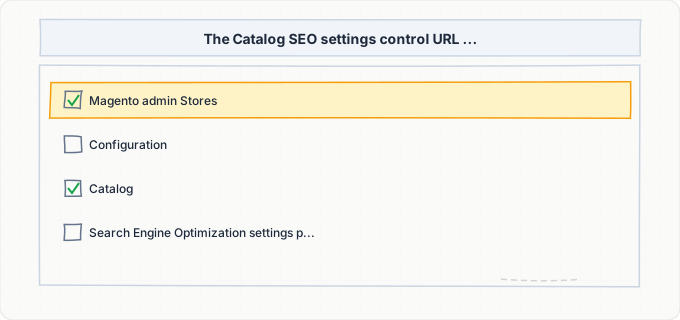
Configuring Catalog SEO Settings in the Admin Panel
Navigate to Stores > Configuration > Catalog > Catalog and expand the "Search Engine Optimization" section. This is the control center for Magento's SEO behavior, and every setting matters.
"Product URL Suffix" defaults to .html. While the suffix itself does not affect rankings, consistency is essential. If you change this after your store has been indexed, every product URL changes, requiring mass redirects. Leave it as .html unless you have a strong reason to change it and a redirect plan in place.
"Category URL Suffix" also defaults to .html. The same consistency warning applies.
"Use Categories Path for Product URLs" is the most impactful setting. When set to Yes, product URLs include the category path (/electronics/phones/iphone-15-pro.html). When set to No, products have flat URLs (/iphone-15-pro.html). The flat URL structure (No) is generally better for SEO because it eliminates the multiple URLs created when products belong to multiple categories. If you switch this setting on a live store, set up URL rewrites (System > URL Rewrites) to redirect the old category-prefixed URLs to the new flat URLs.
"Use Canonical Link Meta Tag For Products" should be set to Yes. This adds a canonical tag to every product page pointing to its primary URL. For configurable products, verify that the canonical on each simple product page points to the configurable parent by checking the rendered HTML.
"Use Canonical Link Meta Tag For Categories" should also be set to Yes. This prevents duplicate category pages caused by pagination parameters (e.g., /electronics.html?p=2) from competing with the main category page.
Below the SEO section, expand "Product Fields Auto-Generation." This controls the template for auto-generated meta titles and descriptions. The default template uses {{name}} for the title and a combination of {{name}} and {{description}} for the meta description. Customize these templates to include your brand name and primary product attributes to generate unique, keyword-relevant metadata at scale.
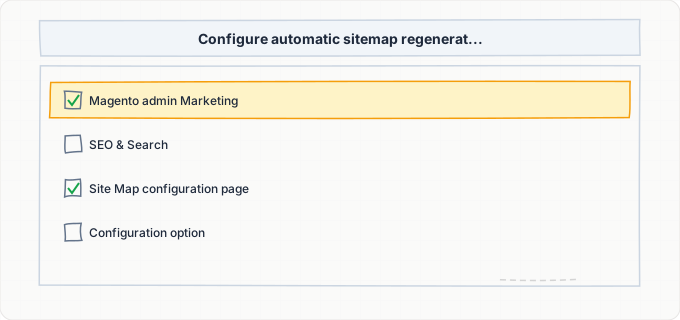
Generating and Optimizing XML Sitemaps
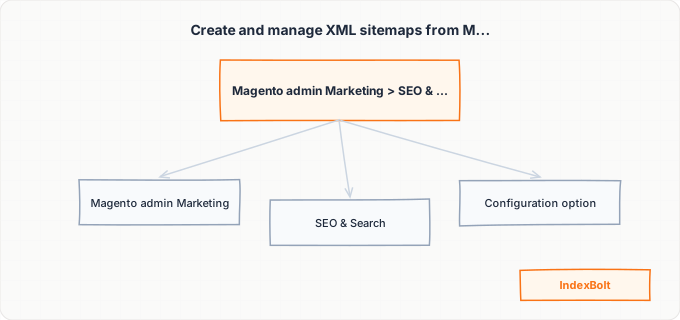
Magento has a built-in XML sitemap generator at Marketing > SEO & Search > Site Map. Click "Add Sitemap" to create one, specifying the filename (sitemap.xml) and path (/). Magento generates the sitemap based on your catalog content, including products, categories, and CMS pages.
Configure sitemap generation settings at Stores > Configuration > Catalog > XML Sitemap. Under "Categories Options," set the Frequency to weekly and Priority to 0.5. Under "Products Options," set Frequency to daily (if your catalog changes frequently) or weekly, and Priority to 1.0 for products (your money pages). Under "CMS Pages Options," set Frequency to monthly and Priority to 0.25. These values guide Googlebot's crawl prioritization.
Under "Generation Settings," enable "Enabled" (Yes), set "Start Time" to an off-peak hour (e.g., 3:00 AM in your server's timezone), and set "Frequency" to Daily. Magento regenerates the sitemap on this schedule using the cron system. Ensure Magento's cron is running (php bin/magento cron:run or configured in your hosting crontab), or the sitemap will never update automatically.
For stores with more than 50,000 URLs (common for large catalogs), Magento automatically splits the sitemap into multiple files with a sitemap index. Verify this works by checking that /sitemap.xml is a sitemap index pointing to individual files like /sitemap-1-1.xml, /sitemap-1-2.xml, etc.
Critically, Magento's sitemap includes every product URL, including simple products associated with configurable parents. If you have 500 configurable products with an average of 10 simple products each, your sitemap contains 5,500 product URLs. The simple product URLs are often thin content pages (identical to the configurable parent but without the option selector). Review your sitemap and consider excluding simple products that have configurable parents by using a third-party extension that adds this filter. Alternatively, ensure simple products with configurable parents have canonical tags pointing to the parent, so even if Google finds them in the sitemap, it consolidates to the configurable product page.
Taming Layered Navigation for Crawl Budget
Layered navigation (also called faceted navigation) is Magento's left-sidebar filter system on category pages. Customers filter by price range, color, size, brand, material, and any other product attribute you configure as filterable. Each filter combination appends parameters to the URL: /shoes.html?color=red&size=10&price=50-100.
The combinatorial explosion is staggering. If a category has 5 filterable attributes with an average of 8 options each, the total number of filter URL combinations exceeds 32,000 -- for a single category. Multiply that by 50 categories and you have over 1.6 million potential URLs. Google will attempt to crawl a significant portion of these, burning through your crawl budget and potentially triggering a crawl rate reduction.
Magento does not handle this well out of the box. The default behavior allows all filter URLs to be crawlable, indexable, and sometimes even included in internal link structures. You need a multi-layered defense:
First, add a robots meta tag with noindex,follow to all layered navigation result pages. This can be done with a custom module or by using an extension like Amasty Improved Layered Navigation, which includes SEO settings to control indexing of filter pages. The "follow" directive ensures Google continues to discover product pages through filter results, but does not index the filter pages themselves.
Second, add canonical tags on all filtered pages pointing back to the base category URL. Magento's built-in canonical tag system does this if "Use Canonical Link Meta Tag For Categories" is enabled, but verify the implementation -- some Magento versions or third-party themes override this behavior.
Third, use robots.txt to block the most egregious parameter patterns. Add Disallow rules for parameter combinations that generate the most URLs: Disallow: /*?color=, Disallow: /*?price=, etc. Be cautious not to block parameters that are part of pagination (?p=) if you are not using rel=next/prev or canonical tags to handle paginated category pages.
Fourth, consider using AJAX-based layered navigation that does not change the URL at all. The page content updates dynamically, but the URL stays as the base category URL. This eliminates filter URLs entirely from Google's perspective.
URL Rewrites and Redirect Management
Magento's URL rewrite system (Marketing > SEO & Search > URL Rewrites) is both powerful and dangerous. Every time you create or modify a product or category URL key, Magento generates URL rewrite records. Over time, a large catalog accumulates thousands or even hundreds of thousands of URL rewrites, which slows down the URL resolution process and can cause redirect chains.
When you change a product's URL key from "old-widget" to "new-widget," Magento creates a 301 redirect from /old-widget.html to /new-widget.html. If you later change it again to "updated-widget," Magento creates another redirect from /new-widget.html to /updated-widget.html. Now /old-widget.html redirects to /new-widget.html, which redirects to /updated-widget.html -- a redirect chain. Google follows chains up to 5 redirects deep but penalizes crawl efficiency with each hop.
Periodically clean up redirect chains by navigating to Marketing > URL Rewrites, filtering by redirect type (301 or 302), and checking for chains. You can also run the CLI command php bin/magento catalog:url-rewrites:regenerate to regenerate all URL rewrites from scratch, eliminating chains. Be careful: this command removes all custom URL rewrites, so document any manual rewrites before running it.
For stores that have migrated from Magento 1 to Magento 2, the URL structure change creates a massive redirect need. Magento 1 used URLs like /catalog/product/view/id/42, while Magento 2 uses clean URL keys. If you did not set up comprehensive 301 redirects during migration, your old URLs may be returning 404 errors. Create a URL rewrite map (CSV import is supported in some extensions) that maps every Magento 1 URL to its Magento 2 equivalent.
Store views add another URL layer. If you have a multi-language store with English (/en/) and French (/fr/) store views, each product has separate URL keys per store view. Ensure hreflang tags are present (either through a Magento extension or custom implementation) so Google knows which store view to serve for each language/region.
Performance Optimization for Faster Crawling
Magento is notorious for slow page load times, particularly on shared hosting or without proper optimization. Page speed directly impacts crawl budget: Google allocates less crawl time to slow-responding sites. If your Magento store takes 4-5 seconds to deliver the initial HTML response, Googlebot will crawl fewer pages per session, potentially leaving portions of your catalog unindexed.
Full Page Cache (FPC) is essential. Magento Open Source includes built-in FPC using the file system, but for production stores, use Varnish as the FPC backend. Magento ships with a Varnish VCL configuration file (app/etc/varnish*.vcl) that you deploy to your Varnish instance. With Varnish, cached pages respond in under 100 milliseconds -- a dramatic improvement that directly increases the number of pages Googlebot can crawl per session.
Enable JavaScript and CSS bundling in Stores > Configuration > Advanced > Developer > JavaScript Settings and CSS Settings. Enable "Merge JavaScript Files," "Enable JavaScript Bundling" (with caution -- test thoroughly as it can increase initial load on some pages), and "Minify JavaScript Files." Do the same for CSS. In production mode (php bin/magento deploy:mode:set production), Magento pre-compiles static content for maximum performance.
Image optimization is critical for product pages. Install a WebP conversion module or use a CDN with automatic image optimization (like Cloudflare or Fastly). Magento 2.4+ includes built-in support for lazy loading product images on category pages, reducing initial page weight.
Redis for cache and session storage eliminates filesystem I/O bottlenecks. Configure Redis in app/etc/env.php for both the default cache and the session cache. This reduces page generation time for uncached pages (when Googlebot hits a page that is not in Varnish yet) significantly.
Step-by-Step Guide
Configure Catalog SEO Settings
Go to Stores > Configuration > Catalog > Catalog > Search Engine Optimization. Set URL suffixes to .html. Set Use Categories Path for Product URLs to No. Enable canonical link meta tags for both products and categories. Customize the Product Fields Auto-Generation templates (e.g., {{name}} - {{sku}} | YourStore). Save and flush the cache.
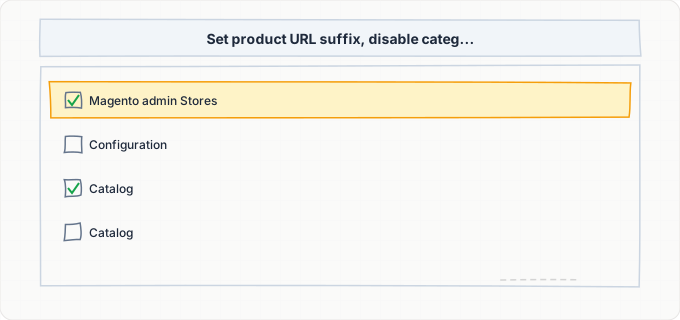
Generate and Submit Your XML Sitemap
Navigate to Marketing > SEO & Search > Site Map and click "Add Sitemap." Set the filename to sitemap.xml and the path to /. Save and click "Generate." Then configure automatic regeneration at Stores > Configuration > Catalog > XML Sitemap. Under "Generation Settings," set Enabled to Yes, Start Time to an off-peak hour, and Frequency to Daily. Ensure Magento's cron is running by executing php bin/magento cron:status from the command line. Open your sitemap URL (https://yourstore.com/sitemap.xml) in a browser and verify it contains your products and categories. Submit this URL in Google Search Console under Sitemaps.
Handle Configurable and Simple Product URL Duplication
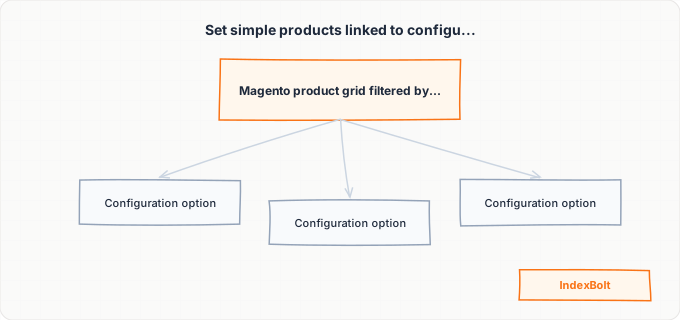
Filter Catalog > Products by type "Simple." For simples linked to configurable parents, set Visibility to Not Visible Individually -- this removes them from search, categories, and the sitemap while keeping them purchasable through the parent. Verify excluded simples do not appear in the sitemap and that any remaining simple pages have canonicals pointing to the configurable parent.
Block Layered Navigation URLs from Indexing
Add rules to your robots.txt file to block filter parameter URLs. Navigate to your Magento root directory and edit robots.txt to add: Disallow: /*?*color=, Disallow: /*?*size=, Disallow: /*?*price=, and similar patterns for each filterable attribute. For more precise control, install an extension like Amasty Improved Layered Navigation or Mirasvit SEO that adds noindex meta tags to filtered pages while maintaining follow directives. After implementation, use Google Search Console's URL Inspection tool to verify that filtered URLs show "Excluded by 'noindex' tag" rather than being indexed.
Clean Up URL Rewrites and Set Up Redirects
Open Marketing > URL Rewrites and filter by redirect type. Fix chains where A redirects to B then C -- point A directly to C. For bulk cleanup, run php bin/magento catalog:url-rewrites:regenerate (document custom rewrites first). For Magento 1 migrations, create 301 redirects for every old URL pattern. Test with curl -I to confirm 301 status codes.
Optimize Page Speed for Crawl Efficiency
Switch Magento to production mode (php bin/magento deploy:mode:set production) if not already done. Enable Varnish Full Page Cache under Stores > Configuration > Advanced > System > Full Page Cache, set "Caching Application" to Varnish, and deploy the Varnish VCL file. Enable JavaScript and CSS merging and minification under Stores > Configuration > Advanced > Developer. Configure Redis for cache and session storage in app/etc/env.php. Deploy static content (php bin/magento setup:static-content:deploy) and verify page load times with Google PageSpeed Insights. Aim for a server response time (Time to First Byte) under 500ms for cached pages and under 2 seconds for uncached pages.
Submit Product Pages via IndexBolt and Monitor
Submit high-margin products, seasonal collections, and new launches through IndexBolt. Use Instant mode for flash sales and product launches where timing is critical. Monitor Google Search Console's Coverage report -- filter URLs showing as "Crawled - currently not indexed" means your layered navigation blocking needs tightening.
Common Issues & How to Fix Them
Layered navigation creates thousands of indexable filter URLs
Cause: Every combination of filterable attributes (color, size, price, brand) generates a unique URL with query parameters. Magento's default configuration does not add noindex to these pages or block them in robots.txt. A single category with 5 filter attributes and 8 options each produces over 32,000 URL combinations, multiplied across all categories.
Fix: Implement a three-layer defense: (1) Add noindex,follow meta tags to all filtered pages using a Magento SEO extension or custom module; (2) Set canonical tags on filtered pages pointing to the base category URL; (3) Block the most prolific filter parameters in robots.txt with Disallow rules. For the most effective solution, switch to AJAX-based layered navigation that updates content without changing the URL.
Configurable and simple product pages create duplicate content
Cause: Magento creates separate URLs for both the configurable product (/classic-tshirt.html) and each associated simple product (/classic-tshirt-red-small.html, /classic-tshirt-blue-medium.html, etc.). Both the configurable and simple product pages show the same product description, images, and details -- the only difference is the simple product page shows pre-selected options.
Fix: Set the Visibility of all simple products associated with configurable parents to "Not Visible Individually" in the product editor. This prevents them from appearing in category listings, search results, and the sitemap. Verify the simple product URLs either return 404 or have canonical tags pointing to the configurable parent. If simple products must remain visible for direct linking (e.g., from PPC campaigns), ensure their canonical tag points to the configurable parent.
Category pagination creates duplicate or thin content pages
Cause: Category pages with many products are paginated (/shoes.html?p=2, /shoes.html?p=3, etc.). Each paginated page shows a different subset of products but shares the same title and meta description as the first page. Google may interpret these as duplicate thin content pages.
Fix: Ensure Magento's canonical tag for categories points paginated pages back to the first page (the default behavior when "Use Canonical Link Meta Tag For Categories" is enabled). Alternatively, implement self-referencing canonical URLs on each paginated page and use content from each page's unique product listings as the distinguishing content. Increase the number of products per page (Stores > Configuration > Catalog > Storefront > Products per Page) to reduce the total number of paginated pages.
Slow page load times cause Google to reduce crawl rate
Cause: Unoptimized Magento installations, especially on shared hosting without Varnish or Redis, often have server response times exceeding 3-4 seconds. Googlebot measures response time per URL and reduces crawl frequency for slow-responding sites, meaning fewer of your pages get crawled and indexed over time.
Fix: Enable Varnish Full Page Cache for sub-100ms response times on cached pages. Configure Redis for cache and session storage. Switch to production mode and deploy static content. Optimize images with WebP conversion. Enable flat catalog tables (Stores > Configuration > Catalog > Storefront) for faster category page generation. If on shared hosting, consider upgrading to a dedicated Magento hosting provider that includes Varnish and Redis in the stack.
Product URLs change when products are moved between categories
Cause: When "Use Categories Path for Product URLs" is set to Yes and you move a product from one category to another (or add it to an additional category), the URL path changes. Magento may or may not create a 301 redirect from the old path to the new one, depending on your settings in Stores > Configuration > Catalog > Catalog > Search Engine Optimization > "Create Permanent Redirect for URLs if URL Key Changed."
Fix: Set "Use Categories Path for Product URLs" to No so product URLs are category-independent (just /product-url-key.html). If you must use category paths, ensure "Create Permanent Redirect for URLs if URL Key Changed" is set to Yes, and audit the URL Rewrites section after moving products to verify redirects were created. For bulk category reorganizations, use the catalog:url-rewrites:regenerate CLI command after the move to ensure all rewrites are updated.
Pro Tips
Magento's massive product catalogs can take weeks for Google to fully crawl. Use IndexBolt to fast-track your highest-value product pages and new collections directly into Google's index -- critical for seasonal launches and flash sales.
100 free credits. No credit card required. See results in under 24 hours.
Frequently Asked Questions
Does Magento automatically generate a sitemap?+
Magento includes a built-in XML sitemap generator, but it is not enabled by default. You must create a sitemap entry at Marketing > SEO & Search > Site Map and configure automatic generation at Stores > Configuration > Catalog > XML Sitemap. Magento requires its cron system to be running for automatic sitemap regeneration -- without a working cron, the sitemap is only generated when you manually click the Generate button in the admin panel.
Should I use categories in my Magento product URLs?+
For most stores, setting "Use Categories Path for Product URLs" to No is better for SEO. When set to Yes, products assigned to multiple categories generate multiple URLs, creating duplicate content issues. The flat URL structure (/product-name.html) is simpler, avoids duplication, and is not affected by category reorganizations. The only scenario where category paths in URLs are beneficial is when you have a very organized, shallow category tree and every product belongs to exactly one category.
How do I handle SEO for Magento configurable products?+
Set the visibility of all simple products associated with configurable parents to "Not Visible Individually." This removes simple products from category listings, internal search results, and the sitemap. The configurable product page -- where customers select options like size and color -- should be the only indexed page. Ensure the configurable product has comprehensive metadata, unique descriptions, and all relevant keywords. If you need direct URLs for simple products (e.g., for Google Shopping ads), keep them visible but add canonical tags pointing to the configurable parent.
Why are thousands of filter URLs appearing in my Google index?+
Magento's layered navigation generates unique URLs for every filter combination (e.g., /shoes.html?color=red&size=10). Without explicit blocking, Googlebot discovers and indexes these URLs through internal links on your category pages. To fix this, block filter parameters in robots.txt, add noindex meta tags to filtered pages using a Magento SEO extension, and set canonical tags on filtered pages pointing to the base category URL. Consider switching to AJAX-based layered navigation to eliminate filter URLs entirely.
How does Magento's Full Page Cache affect Googlebot?+
Full Page Cache (especially Varnish) is extremely beneficial for Googlebot. Cached pages respond in under 100 milliseconds, allowing Googlebot to crawl significantly more pages per session. Varnish serves the same fully-rendered HTML to Googlebot that it serves to regular visitors, so there are no rendering differences. Ensure your Varnish configuration does not cache different content based on user-agent -- Googlebot should receive the same cached page as any other visitor. Some Magento extensions improperly vary cache by user-agent, which can cause Googlebot to see different content.
Can IndexBolt help with Magento product page indexing?+
Yes, IndexBolt is particularly valuable for Magento stores because of the sheer volume of product pages and the crawl budget constraints. Instead of waiting for Google to discover and index new products through natural crawling, which can take weeks for large catalogs, you can submit product URLs directly through IndexBolt. This is especially useful for new product launches, seasonal collections, and restocked items that need to appear in search results quickly. Use Normal mode for routine product additions and Instant mode for high-priority launches.