Pages After Site Migration Not Indexed: Complete Recovery Guide
Your site migration went smoothly in the browser, but Google is struggling to recognize your new URLs. Understand the critical 90-day window and fix the redirect, canonical, and verification issues that block post-migration indexing.
In this guide
Site migrations are among the riskiest operations in SEO. Whether you are moving to a new domain, changing your URL structure, migrating from HTTP to HTTPS, switching CMS platforms, or consolidating multiple sites into one, the migration fundamentally disrupts Google's understanding of your site. Pages that were indexed for years may suddenly disappear from search results. New URLs that should replace old ones get stuck in the crawl queue. Rankings drop across the board as Google re-evaluates your entire site in its new form.
The first 90 days after a migration are critical. During this period, Google is actively re-crawling your site, processing redirects, evaluating new URLs, and deciding whether the new site structure deserves the same indexing coverage and rankings as the old one. Mistakes during this window can result in months of lost traffic. But even well-executed migrations commonly experience indexing gaps where some pages on the new site are not indexed while their old URL counterparts have been removed from the index.
Post-migration indexing problems differ from normal indexing issues because they involve a transition between two states. Google must simultaneously process the removal of old URLs and the addition of new ones, transfer authority from old pages to new pages through redirects, and reconcile its existing understanding of your site's content with the new structure. This creates opportunities for confusion, dropped signals, and indexing gaps that do not occur in normal site operations.
This guide covers the specific indexing problems that occur during and after site migrations, the diagnostic steps to identify them, and the fixes to resolve them quickly and minimize traffic loss during the transition period.
The Critical 90-Day Post-Migration Window
Google's response to a site migration unfolds over approximately 90 days, though the exact timeline varies based on site size, crawl frequency, and the scope of changes. Understanding this timeline helps you set expectations and identify when indexing delays are normal versus when they indicate a problem.
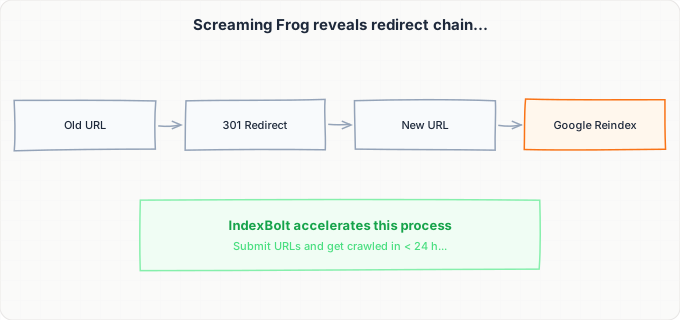
In the first one to two weeks after migration, Google begins discovering the changes. If you have set up 301 redirects from old URLs to new URLs, Google encounters these redirects during its normal crawl of your old URLs. Each redirect tells Google that the old URL has permanently moved to a new location. Google processes these redirects and starts adding the new URLs to its crawl queue. During this phase, you will see a mix of old and new URLs in search results, which is normal.
In weeks two through four, Google ramps up crawling of the new URLs. If you have submitted a new sitemap with the new URL structure and verified the new domain in Google Search Console, Google accelerates its exploration of the new site. You should see the ratio of old-to-new URLs in the index shifting toward new URLs. Some old URLs will still appear in search results as Google has not yet crawled and processed all redirects.
In weeks four through eight, the bulk of the transition should complete. Most old URLs should redirect properly, most new URLs should be indexed, and rankings should begin stabilizing at or near pre-migration levels. If rankings are significantly lower than before, there may be redirect issues, content changes, or technical problems on the new site affecting quality signals.
In weeks eight through twelve, Google's confidence in the new site solidifies. Any remaining old URLs that are still indexed should be processed. Rankings should recover to pre-migration levels assuming the migration was executed correctly. If specific pages are still not indexed at this point, they have individual issues that need targeted troubleshooting.
During this entire 90-day window, avoid making additional major changes to your site. Do not redesign the new site, do not restructure URLs again, and do not significantly change content. Each additional change resets parts of Google's evaluation process and extends the recovery timeline. Treat the 90 days after migration as a stabilization period where your only changes should be fixes for migration-related issues.
301 Redirect Chains, Loops, and Mapping Gaps
Redirect implementation is the single most important factor in post-migration indexing. Every old URL that had any rankings, traffic, or backlinks must redirect to the most relevant page on the new site. Mistakes in redirect implementation are responsible for the majority of post-migration indexing failures.
Redirect chains occur when one redirect points to another redirect, which points to another. For example, http://old-domain.com redirects to https://old-domain.com, which redirects to https://new-domain.com/page. Google can follow redirect chains, but each hop in the chain introduces latency and may lose some link equity. Google has stated that it passes full PageRank through a single 301 redirect but has been less clear about chains. Best practice is to minimize chains to a maximum of two hops and ideally implement direct one-hop redirects from each old URL to its final destination.
Redirect loops occur when URL A redirects to URL B, and URL B redirects back to URL A. This prevents Google from ever reaching a final destination page and results in a crawl error. Loops commonly occur when HTTP redirects to HTTPS and the HTTPS version also has a redirect rule that sends certain paths back to HTTP, or when www and non-www redirects conflict with each other. Test redirect implementation using a redirect chain checker tool that follows the full redirect path for each URL.
Mapping gaps are old URLs that do not have any redirect to a new URL. When Google crawls an old URL and receives a 404 error instead of a redirect, it removes that URL from the index. If the equivalent page exists on the new site but was not mapped in the redirect plan, Google has no way to connect the old page's authority to the new page. The new page must earn indexing from scratch, losing all accumulated ranking signals.
To identify mapping gaps, compare your complete list of old indexed URLs (export from Google Search Console before migration or from a pre-migration crawl) against your redirect mapping file. Any old URL without a corresponding redirect is a gap. For old URLs that do not have a direct equivalent on the new site, redirect them to the most relevant parent page or category rather than letting them 404. A redirect to a somewhat-relevant page is always better than a 404 from a link equity perspective.
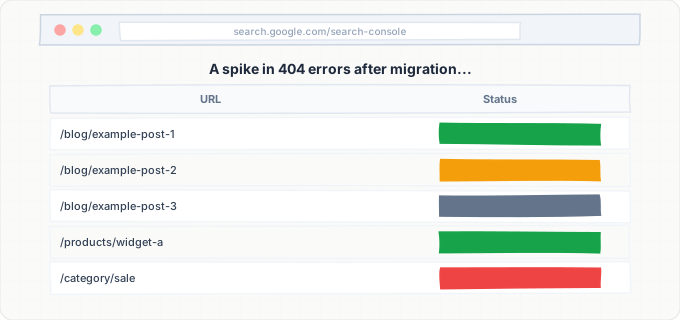
After migration, monitor Google Search Console for crawl errors on old URLs. A spike in 404 errors on old URL patterns indicates missing redirects. Check the 404 errors list regularly during the first 90 days and add redirects for any high-traffic or high-authority old URLs that are returning errors.
Google Search Console Verification and Sitemap Management
Proper Google Search Console configuration is critical for post-migration indexing. If your migration involves a domain change, URL structure change, or protocol change, your Search Console setup needs specific updates to help Google process the transition correctly.
For domain migrations (old-domain.com to new-domain.com), you need both the old and new domains verified in Google Search Console. Do not remove the old domain property. You need it to monitor how Google processes the transition from old URLs and to use the Change of Address tool. In the old domain's Search Console property, navigate to Settings and use the Change of Address feature to formally notify Google that the site has moved to the new domain. This accelerates Google's processing of the domain change and helps preserve ranking signals during the transition.
For the new domain, verify it as a Domain property in Search Console immediately upon migration. Submit a new XML sitemap containing all new URLs. The new sitemap should list only the new URL structure. Do not include old URLs in the new sitemap. If your old sitemap is still accessible on the old domain, leave it in place temporarily. Google will crawl the old sitemap, encounter redirects for each URL, and follow them to the new URLs, which helps with discovery.
For URL structure changes on the same domain (for example, changing /blog/post-title to /articles/post-title), submit an updated sitemap with the new URL patterns. Use the URL Inspection tool to request re-crawling of your most important new URLs. Google should discover the URL changes through redirects during normal crawling, but sitemap submission accelerates the process.
For HTTP to HTTPS migrations, add and verify the HTTPS version of your domain in Search Console if you have not already. Submit a new sitemap with HTTPS URLs. Google generally processes HTTPS migrations smoothly, but monitor the indexing of HTTPS URLs over the following weeks to ensure they are replacing HTTP URLs in the index.
A common mistake is submitting a sitemap with old URLs from the new site. After migration, audit your sitemap to ensure every URL it contains is a valid, non-redirecting URL on the new site. A sitemap that references old URLs or redirecting URLs sends mixed signals to Google and can delay the indexing of your new URL structure.
Content and Template Changes That Affect Post-Migration Indexing
Many site migrations involve more than just a URL change. They often coincide with a redesign, CMS switch, content restructuring, or template update. These content-level changes can independently cause indexing problems that compound the URL migration challenges.
When a CMS switch changes how pages are rendered, it can introduce JavaScript rendering issues that did not exist before. If you migrated from a server-rendered CMS like WordPress to a JavaScript framework like React or Vue, pages that were previously server-rendered may now be client-side rendered. Google must now wait for its JavaScript rendering queue to process pages that it could previously index from the initial HTML. This alone can add days to the indexing timeline for every page.
Template changes can alter the internal linking structure of your site. A new design with different navigation, different sidebar widgets, different footer links, or different related content sections changes which pages link to which other pages. If important internal links were removed during the redesign, some pages may become orphaned on the new site even if they had strong internal linking on the old site. Crawl your new site and compare the internal link graph to the old site to identify pages that lost internal link support.
Content changes during migration, even well-intentioned ones, can affect indexing. If you rewrote page titles, combined or split pages, added or removed content sections, or changed heading structures, Google evaluates these as new content rather than recognizing them as updated versions of old content. Significant content changes can cause Google to reevaluate the page's quality from scratch rather than carrying over the old page's authority through the redirect.
The safest migration approach separates the URL migration from the content/design migration. First, migrate the URLs and redirects without changing any content or templates. Let Google process the URL change and stabilize indexing over four to six weeks. Then, make design and content changes gradually. This staged approach makes it easy to diagnose problems because you know exactly which change caused which effect. Doing everything at once makes troubleshooting nearly impossible because URL issues, content issues, and technical issues are all interleaved.
Step-by-Step Guide
Verify Redirect Implementation for All Old URLs
Export the complete list of indexed URLs from your old site (from a pre-migration crawl or Search Console export). Test every redirect using a bulk redirect checker tool. Verify each old URL redirects with a 301 (not 302) to the correct new URL. Identify and fix redirect chains (more than one hop), redirect loops (circular redirects), and mapping gaps (old URLs returning 404). Prioritize fixing redirects for pages with the highest traffic, most backlinks, and strongest rankings. Every missing or broken redirect is a leaked ranking signal.
Set Up Google Search Console for the New Site
Verify the new domain or URL structure in Google Search Console as a Domain property. Keep the old domain property active. If migrating domains, use the Change of Address tool in the old domain's Search Console property to notify Google of the move. Submit a new XML sitemap to the new property containing only the new URL structure. Verify the sitemap is successfully read by Google within 48 hours of submission. Check for any security issues or manual actions on the new property that could block indexing.
Audit the New Sitemap for Accuracy
Download your new sitemap and verify every URL in it. Each URL should return a 200 status code, not redirect to another URL, and not carry a noindex tag. Cross-reference the sitemap against your full list of pages on the new site to ensure no pages are missing. Remove any URLs from the sitemap that redirect or return errors. If your CMS auto-generates the sitemap, verify it has been configured for the new URL structure and is not still generating old URL patterns. Submit the cleaned sitemap to Google Search Console.
Check for Technical Blockers on the New Site
Verify that the new site's robots.txt allows crawling of all important pages. Check that no global noindex tags were left from the staging or development environment. Many CMS platforms apply noindex to staging environments, and this setting may persist after migration to the production URL. Test the new site's rendering by using the URL Inspection tool on five to ten pages across different sections. Verify that page content renders correctly and that no JavaScript or resource loading errors prevent Google from seeing the content. Check SSL certificate validity if migrating to HTTPS.
Monitor Indexing Transition in Search Console
Starting immediately after migration, monitor the Pages report in Google Search Console for both the old and new properties daily for the first two weeks, then weekly for the following ten weeks. Track the number of indexed pages on the new property (should be increasing), the number of indexed pages on the old property (should be decreasing), the number of crawl errors on both properties, and any new "not indexed" reasons that appear. Create a spreadsheet tracking these metrics over time so you can identify trends and stalls in the transition process.
Request Indexing for High-Priority New URLs
Identify your top 50 to 100 most important pages (highest traffic, highest revenue, most backlinks) and verify they are indexed on the new URLs. For any that are not yet indexed, use the URL Inspection tool to request indexing individually. For larger sites with hundreds or thousands of important pages, use IndexBolt to submit new URLs in bulk for faster indexing. Prioritize pages that had strong rankings before migration, as these are the pages where delayed indexing has the highest business impact.
Investigate and Fix Persistent Indexing Gaps After 30 Days
After 30 days, any page that is still not indexed on the new URL likely has a specific issue beyond the normal migration transition. For each unindexed page, check: Is the redirect from the old URL working correctly? Does the new URL return a 200 status code? Is the content on the new URL substantially the same as the old URL? Are there any new canonical, noindex, or rendering issues on the new URL? Is the page receiving internal links from other indexed pages on the new site? Address each issue individually and resubmit for indexing. Pages still unindexed after 60 days with no identifiable technical issues may need content improvement to meet current quality thresholds.
Common Issues & How to Fix Them
Old URLs still appearing in search results months after migration
Cause: Google has not yet crawled and processed the redirects for these URLs. This is common for old URLs that were infrequently crawled before migration or for sites with very large URL counts. It can also indicate that the redirects are returning 302 (temporary) instead of 301 (permanent), which causes Google to keep the old URL in the index while treating the redirect as temporary.
Fix: Verify redirects are 301 (permanent) rather than 302 (temporary). Use the URL Inspection tool in the old domain's Search Console property to request re-crawling of persistent old URLs, which will force Google to encounter the redirect and process it. If using the Change of Address tool, verify it is correctly configured. For large sites, use IndexBolt to submit the new URLs directly, which adds the new pages to the index in parallel with the redirect processing.
New URLs showing as 'Crawled - currently not indexed' after migration
Cause: Google has crawled the new URLs but determined they do not meet the quality threshold for indexing. This can happen when the migration involved significant content changes, when the new template provides less content than the old one (for example, removing sidebar content or related post sections), or when Google's quality evaluation of the new site is lower than the old site due to technical issues like slow page speed or rendering problems.
Fix: Compare the content on the new URL against the cached version of the old URL. Identify what content was removed or changed. Restore any unique content that was stripped during the migration. Check page speed and Core Web Vitals on the new site, as significant performance degradation can affect quality signals. Verify that internal linking from the new site's navigation reaches these pages. If content is equivalent, submit the URLs through IndexBolt to push Google to re-evaluate.
Massive spike in 404 errors in Search Console after migration
Cause: Old URLs that Google was previously crawling are now returning 404 because redirects were not implemented for them. This commonly happens when the redirect mapping was incomplete, covering only the most important pages rather than all old URLs. It also happens when the old server or hosting is taken offline before Google has fully processed the migration.
Fix: Audit the 404 error list in Search Console for the old domain property. Prioritize implementing redirects for 404 URLs that had significant traffic, backlinks, or rankings (check against your pre-migration data). For URLs with no traffic or backlinks, a 404 is acceptable as Google will naturally remove them from the index. Keep the old domain's hosting and redirect configuration active for at least six months after migration to ensure Google has time to process all redirects. Do not shut down old domain hosting prematurely.
Rankings dropped significantly after migration and are not recovering
Cause: While not strictly an indexing issue, ranking drops often accompany indexing problems during migration. Common causes include redirect chains that dilute link equity, missing redirects for pages with backlinks, significant content changes that Google evaluates less favorably, slower page speed on the new site, mobile usability issues on the new design, and loss of structured data or rich results that drove click-through rates on the old site.
Fix: Conduct a comprehensive comparison between the old and new sites. Check redirect chain depth and fix any chains longer than one hop. Verify that all backlinked pages have direct redirects. Compare Core Web Vitals between old and new sites. Compare structured data implementation. Compare mobile usability. Address each deficit. If the new site is technically sound and content-equivalent, rankings typically recover within 60 to 90 days as Google's confidence in the new site builds. Persistent ranking drops beyond 90 days indicate a substantive quality difference that needs investigation.
Pages indexed on both old and new URLs simultaneously
Cause: Google is in the process of transitioning but has not yet fully processed the redirect for these pages. This results in the same content appearing on two URLs in the index, which can cause ranking confusion and traffic splitting between old and new URLs. It typically resolves naturally within four to six weeks but can persist if redirects are implemented as 302 instead of 301.
Fix: Verify that all redirects are 301 (permanent). If using 302 redirects, change them to 301 immediately. Use the URL Inspection tool to check both the old and new URLs. If the old URL shows as indexed with a redirect, Google is processing it but has not completed the transition yet. This is normal during the first few weeks. If it persists beyond six weeks, request re-crawling of the old URL to force Google to process the redirect. Ensure canonical tags on new URLs are self-referencing (pointing to themselves) and not pointing to old URLs.
Pro Tips
Do not let a site migration erase months of SEO progress. IndexBolt submits your new URLs directly to Google, accelerating the transition from old to new and minimizing the indexing gap. Submit your complete new URL list immediately after migration and get your new pages indexed in hours instead of waiting weeks for Google to process every redirect.
100 free credits. No credit card required. See results in under 24 hours.
Frequently Asked Questions
How long should a full site migration take to complete from Google's perspective?+
Most site migrations are fully processed by Google within 60 to 90 days. During the first two weeks, you will see a mix of old and new URLs in the index. By week four, most new URLs should be indexed and most old URLs should be redirecting. By week eight, the transition should be substantially complete with only edge cases remaining. Very large sites (millions of pages) may take longer because Google's crawl capacity is finite. If your migration has not substantially completed within 90 days, there are likely technical issues (broken redirects, blocked crawling, or rendering problems) that need investigation.
Should I use 301 or 302 redirects for a site migration?+
Always use 301 (permanent) redirects for site migrations. 301 redirects tell Google that the move is permanent, which causes Google to transfer ranking signals to the new URL and eventually remove the old URL from the index. 302 (temporary) redirects tell Google that the move might be reversed, which causes Google to keep the old URL in the index and not fully transfer authority. While Google has stated that it eventually treats long-standing 302s similarly to 301s, using 301 from the start avoids delays and ambiguity. The only reason to use 302 is if the redirect is genuinely temporary and you plan to restore the old URL.
I am migrating from HTTP to HTTPS. Do I still need to do all these steps?+
Yes, although HTTP to HTTPS migrations are the simplest type and Google handles them most smoothly. You still need to implement 301 redirects from all HTTP URLs to their HTTPS equivalents, update your sitemap to use HTTPS URLs, verify the HTTPS property in Google Search Console, and update canonical tags to use HTTPS. The main advantage of an HTTPS migration is that Google actively encourages it, so the processing tends to be faster. Most HTTPS migrations are fully processed within three to four weeks. However, the same redirect mapping, sitemap, and monitoring requirements apply.
What happens to my backlinks when I migrate to a new domain?+
Backlinks to your old domain continue to pass value to your new domain through 301 redirects, but there is some value loss in the process. Google has confirmed that 301 redirects pass the majority of link equity, but the exact amount is not disclosed. Some SEO studies suggest a 10-15% loss per redirect hop. To maximize backlink value preservation, implement direct one-hop 301 redirects from each old URL to its new equivalent. For your most important backlinks (from the highest-authority domains), consider contacting the linking site and asking them to update the link to point directly to your new URL, bypassing the redirect entirely.
Can I migrate my site in phases, doing one section at a time?+
Phased migration is possible but adds complexity. Migrating one section at a time (for example, /blog/ first, then /products/, then the rest) means Google must process multiple rounds of changes rather than one comprehensive change. The advantage is that it limits the blast radius of any mistakes. If something goes wrong with the blog migration, your product pages are unaffected. The disadvantage is that the total migration timeline is longer, and managing redirects becomes more complex when some sections are on the new structure while others are still on the old one. For most sites, a single well-planned migration is preferable to a phased approach.