Paginated Pages Not Indexed: Modern Pagination Strategies for Google
Google deprecated rel=prev/next and your paginated content has fallen out of the index. Learn modern pagination strategies that work with Google's current indexing behavior.
In this guide
Pagination is everywhere on the web. Blog archives, ecommerce category pages, search result listings, forum thread indexes, news archives, and image galleries all use pagination to divide large content sets into manageable pages. For years, the standard approach was to implement rel=prev and rel=next tags to tell Google that a set of pages formed a paginated series. Google would then understand the relationship and consolidate indexing signals appropriately.
In March 2019, Google confirmed that it had not used rel=prev/next as an indexing signal for years. This announcement caught the SEO industry off guard because many sites had built their entire pagination strategy around these tags. The practical impact was immediate: without rel=prev/next, Google treats each paginated page as an independent, standalone page rather than as part of a connected series.
This change means that page 2 of your blog archive is evaluated by Google entirely on its own merits. If page 2 shows a list of blog post excerpts with no unique introductory content, no unique heading, and no context explaining what the page is about, Google sees a thin page with recycled content snippets. It should come as no surprise that Google frequently chooses not to index these pages.
The consequences extend beyond the paginated pages themselves. Content that appears only on deeper pagination pages becomes harder for Google to discover. If a product or blog post is not featured on page 1 of any listing and is not linked from anywhere else, it may effectively become an orphan that Google never crawls. This makes pagination not just a listing page problem but a content discovery problem for your entire site.
This guide covers modern pagination strategies that work with Google's current indexing behavior, addresses the specific challenges of infinite scroll and Load More patterns, and provides concrete fixes for recovering content that was lost when rel=prev/next stopped working.
What Changed When Google Deprecated rel=prev/next
To understand the current state of pagination indexing, it helps to know what rel=prev/next was supposed to do and what Google actually does now.
Rel=prev/next was a set of HTML link elements that told Google a series of pages were connected as a paginated sequence. The intent was for Google to consolidate the pages and understand that page 1, page 2, page 3, and so on formed a continuous set. In theory, Google would treat the series as a single logical entity, consolidating link equity and potentially showing only the first page in search results while understanding that the content continued across subsequent pages.
When Google revealed that it had not used these signals for years, the implication was clear: Google had been relying on other signals to understand pagination. These signals include URL patterns (Google can detect common pagination patterns like ?page=2 or /page/2/), internal link structures (sequential links between pages suggest pagination), and content analysis (pages with similar templates and different content subsets suggest a paginated list).
The practical change in behavior is that Google now evaluates each paginated page independently. Page 1 of your category with a unique introductory paragraph, strong internal links, and 20 featured products may be indexed. Page 2, which shows the next 20 products with no unique content, is evaluated as a standalone page and may not be indexed because it does not offer enough unique value on its own.
This independent evaluation means that paginated pages beyond page 1 rarely get indexed unless they have some unique value proposition. The items listed on page 2 are different from page 1, but the template, navigation, meta information, and overall structure are identical. From Google's perspective, page 2 is a thin variation of page 1.
The loss of rel=prev/next consolidation also means that link equity is no longer consolidated across paginated pages. Before, a backlink pointing to page 3 of your category might have benefited the entire paginated series. Now, that link equity stays on page 3 alone. If page 3 is not indexed, the link equity is effectively wasted.
Google's current recommendation for pagination is to ensure that important individual content pages (products, articles, posts) are directly linkable from your sitemap and from other pages on your site, rather than depending on pagination as the only discovery path. Pagination is now primarily a user experience feature rather than an SEO feature.
Infinite Scroll: The Invisible Content Problem
Infinite scroll replaces traditional pagination with a pattern where new content loads automatically as the user scrolls down the page. Users experience a seamless, never-ending feed. From an SEO perspective, infinite scroll is one of the most problematic pagination patterns because Google's crawler does not scroll.
When Googlebot loads a page with infinite scroll, it processes the initial HTML and any JavaScript-rendered content that appears on first load. It does not trigger scroll events, which means any content that loads when the user scrolls past a certain threshold is completely invisible to Google. If your category page shows 20 products on initial load with infinite scroll for the remaining 200 products, Google only sees 20 products.
This has severe consequences for content discovery. Products or posts that only appear via infinite scroll have no crawl path from the category page. If they are not linked from other pages or included in the sitemap, Google may never discover them. Even if they are in the sitemap, the category page itself does not provide the internal link to these items, weakening their perceived importance.
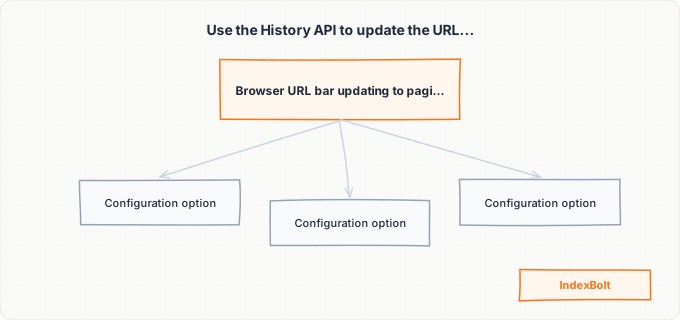
The recommended fix is to implement infinite scroll alongside traditional paginated URLs. This hybrid approach provides the smooth user experience of infinite scroll while giving Google crawlable paginated pages with real URLs. The implementation works as follows: create traditional paginated URLs (/category/page/2/, /category/page/3/) that display the same content sets as each infinite scroll segment. When a user scrolls and new content loads, use the History API to update the browser URL to the corresponding paginated URL. If the user refreshes or shares the URL, they see the paginated version with the content they had scrolled to.
Google specifically recommends this pushState approach for infinite scroll. The paginated URLs serve as anchor points that Google can crawl, while the infinite scroll provides the user experience your visitors expect. Without the underlying paginated URLs, infinite scroll hides all content beyond the first visible set from Google entirely.
An alternative approach for smaller content sets is to load all content on a single page without any pagination or scroll-based loading. If your category has 50 products or fewer, rendering all of them on a single page eliminates the pagination problem entirely. This approach is not viable for categories with hundreds or thousands of items due to performance constraints, but it works well for smaller collections.
Load More Buttons: Better Than Infinite Scroll, Still Problematic
Load More buttons are a middle ground between traditional pagination and infinite scroll. The user sees an initial set of content and clicks a button to load additional content onto the same page. From a user experience perspective, Load More is often preferred over traditional pagination because it keeps the user on the same page and maintains scroll position.
However, Load More buttons have the same fundamental SEO problem as infinite scroll: Google does not click buttons. Content loaded by a Load More button is triggered by a click event, and Google's renderer does not simulate click interactions. The content behind the Load More button is invisible to Google unless specific measures are taken.
The fix mirrors the infinite scroll solution: implement traditional paginated URLs alongside the Load More functionality. Each Load More segment should correspond to a crawlable paginated URL. Include links to these paginated URLs somewhere in the HTML (they can be hidden from the visual design using CSS) so Google can discover and crawl them. Some implementations place the paginated links in a noscript tag so they are available to crawlers that do not execute JavaScript while the Load More button appears for JavaScript-enabled browsers.
Another approach is to render the Load More content in the initial HTML response but hide it visually with CSS. When the user clicks Load More, JavaScript reveals the hidden content rather than fetching it from the server. This approach ensures Google sees all content in the initial HTML without needing to interact with any buttons. However, this only works for moderate amounts of hidden content (loading 200 products in hidden HTML significantly increases page weight and load time).
A third approach is to implement Load More with progressively loading paginated URLs. The initial page loads with the first set of content and a Load More button. Clicking the button uses AJAX to fetch and display the next set of content and simultaneously updates the URL to the next paginated page (/page/2/). Each paginated URL renders its specific content set server-side, so Google can crawl /page/2/ directly and see that content without needing to click any buttons. The Load More button is a progressive enhancement for users, while the underlying paginated URL structure is the crawlable foundation for Google.
Canonical Tag Strategy for Paginated Series
Canonical tags on paginated pages are one of the most debated topics in technical SEO. The question is whether page 2, page 3, and subsequent pages should have canonical tags pointing to page 1 or whether each page should have a self-referencing canonical.
Pointing all paginated pages to page 1 as the canonical tells Google that page 1 is the definitive version and other pages are secondary. This approach is appropriate when you do not want or need the deeper pages indexed and when all individual items are discoverable through other means (sitemap, direct links). The benefit is simplicity: Google indexes only page 1, and you do not worry about thin content issues on deeper pages. The risk is that items only appearing on deeper pages may lose internal link signals from the paginated listing.
Self-referencing canonicals on each paginated page tell Google that each page is its own distinct entity. This approach is appropriate when each paginated page targets different content or when you want Google to index all pages in the series. The benefit is that each page retains its own link equity and can potentially appear in search results. The risk is that Google may view deeper pages as thin content and choose not to index them regardless.
The pragmatic recommendation for most sites is a hybrid approach. Page 1 gets a self-referencing canonical and your optimization effort (unique introductory content, proper meta tags, featured items). Pages 2 through 5 get self-referencing canonicals but are treated as secondary (lower optimization priority, accept that some may not be indexed). Pages 6 and beyond get canonical tags pointing to page 1 because content this deep is unlikely to be indexed on its own merits and the crawl budget is better spent elsewhere.
Regardless of canonical strategy, ensure that every individual item page (product, post, article) is included in your XML sitemap with a direct URL. The sitemap provides an independent discovery path that does not depend on pagination. Even if Google never indexes page 7 of your category, the products that appear on page 7 can still be discovered and indexed through the sitemap.
Crawl Budget Impact of Deep Pagination
Deep pagination, where a content listing spans dozens or hundreds of pages, is one of the most significant crawl budget drains on content-heavy websites. Each paginated page is a URL that Google may attempt to crawl, evaluate, and potentially index. A site with 100 categories, each with 20 pages of pagination, generates 2,000 paginated listing URLs in addition to the actual content page URLs.
Google's crawl scheduler must decide how to allocate its limited crawl resources across all these URLs. When paginated listing pages outnumber actual content pages, Google may spend the majority of its crawl budget on listing pages rather than on the content you actually want indexed. This is particularly problematic for ecommerce sites where the product pages are the revenue-generating content, but Google is spending its time crawling and re-crawling category listing pagination.
The diagnostic signal for pagination crawl budget waste is in Google Search Console's crawl stats. If you see a high volume of crawled pages but a low percentage of indexed pages, pagination bloat may be the cause. Export the URLs that Google crawls most frequently and check what percentage are paginated listing URLs versus actual content pages.
Several strategies reduce the crawl budget impact of deep pagination. First, limit the depth of crawlable pagination. Use robots.txt to block crawling of paginated pages beyond a certain depth (for example, block /page/6/ and deeper). Alternatively, add noindex,follow tags to deep pages so Google does not index them but can still follow links to individual items. Second, reduce the number of items per page to reduce total pagination depth. Showing 50 items per page instead of 20 turns a 20-page category into an 8-page category. Third, implement a View All page for categories where page weight allows it, eliminating pagination entirely.
For dynamic pagination that changes frequently (new products added daily, trending items reshuffled), keep your sitemap as the primary discovery mechanism rather than relying on pagination. The sitemap provides a complete list of all individual content URLs that Google can crawl at its own pace, independent of how those URLs happen to appear in paginated listings on any given day.
Another technique is to prioritize crawl budget toward page 1 of each category by strengthening internal links to page 1 and weakening links to deeper pagination. Your site navigation links to page 1 of each category. Internal links from blog posts and other content point to page 1. Featured product or featured post sections on the homepage link to page 1. These strong internal links signal to Google that page 1 is the highest-priority listing URL for each category.
Step-by-Step Guide
Audit Current Pagination Implementation Across Your Site
Crawl your site and identify all paginated URL patterns. Common patterns include /page/2/, ?page=2, /p2, and ?start=20. Count the total number of paginated listing URLs versus actual content page URLs. Check which paginated pages are currently indexed by using the "site:" operator with pagination URL patterns. Identify which categories or sections have the deepest pagination. Document the current canonical tag behavior, robots.txt rules, and noindex status for paginated pages. This baseline audit reveals the scope of your pagination problem and guides prioritization.
Verify Content Discovery Paths Beyond Pagination
Ensure every individual content page (product, article, post) is discoverable through at least one path other than pagination. Check that all content URLs are in your XML sitemap. Verify that content pages receive internal links from other content (related products, related posts sections). Run an orphan page analysis to find content pages that are only discoverable through deep pagination and have no other internal links. For orphaned content, add internal links from related pages or featured sections to create alternative discovery paths.
Implement Crawlable URLs for Infinite Scroll or Load More
If your site uses infinite scroll or Load More buttons, implement underlying paginated URLs that correspond to each content segment. Use the History API to update the browser URL as users scroll or click Load More. Ensure each paginated URL renders its content server-side without requiring JavaScript interaction. Test by directly accessing /page/2/ in a browser and verifying that the correct content set is displayed. Include these paginated URLs in your HTML (as pagination links in the footer or in a noscript block) so Google can discover them without executing JavaScript.
Configure Canonical Tags on Paginated Pages
Implement your chosen canonical strategy. For most sites, use self-referencing canonicals on pages 1 through 5 and canonical pointing to page 1 for pages 6 and beyond. Verify canonical tags by viewing the source of paginated pages at different depths. Ensure that canonical URLs use the correct protocol (HTTPS) and domain format (www or non-www, matching your preferred URL format). If your CMS generates canonical tags automatically, verify that the automatic tags are correct for paginated pages, as some CMS platforms incorrectly self-reference all paginated pages regardless of depth.
Optimize Page 1 of Each Paginated Series
Since page 1 is the most likely pagination page to be indexed, invest in making it as strong as possible. Add unique introductory content (category description, buying guide, topic overview) that appears only on page 1. Ensure page 1 has a unique, keyword-optimized title tag and meta description. Feature your most important items on page 1 through manual curation or algorithmic sorting. Add structured data (ItemList schema) to page 1 to help Google understand the listing format. Strengthen internal links pointing to page 1 from navigation, breadcrumbs, and content pages.
Control Crawl Budget Spent on Deep Pagination
Implement crawl budget controls for deep pagination. Add noindex,follow tags to paginated pages beyond page 5 (or your chosen threshold). This allows Google to follow links on deep pages to discover individual content items while preventing the deep pages themselves from consuming index quota. For very deep pagination (page 20+), consider adding robots.txt disallow rules to prevent crawling entirely, relying on your sitemap for content discovery beyond that depth. Monitor crawl stats in Search Console after implementing controls to verify that crawl budget shifts from listing pages to content pages.
Submit Key Paginated Pages and Individual Content for Indexing
After implementing pagination fixes, submit page 1 of each important category or section through Google Search Console's URL Inspection tool. For individual content pages that were previously only discoverable through deep pagination, submit them through IndexBolt to ensure Google indexes them regardless of their pagination position. Monitor indexing of both listing pages and individual content pages over the following weeks. If content pages remain unindexed despite being in the sitemap and having direct internal links, investigate whether the pages themselves have quality or technical issues beyond the pagination context.
Common Issues & How to Fix Them
Products/posts on page 2+ not getting indexed even though page 1 items are indexed
Cause: Items on page 1 receive strong internal link signals from the category page (which is itself well-linked from navigation). Items on deeper pages receive weaker signals because the paginated pages they appear on have less authority and are crawled less frequently. Additionally, if paginated pages beyond page 1 are not indexed, Google discovers items on those pages less frequently than items on page 1.
Fix: Ensure all individual content page URLs are in your XML sitemap, providing a discovery path independent of pagination. Add internal links to important items from non-paginated contexts: related product sections, blog post mentions, homepage featured items, and cross-sell widgets. Consider rotating featured items so that different products appear on page 1 over time. Use IndexBolt to submit individual item URLs that are stuck on deep pages and not getting indexed organically.
Infinite scroll site has only first batch of items indexed
Cause: Google cannot scroll, so only the items rendered in the initial page load are visible to Google. Items loaded by scroll-triggered JavaScript requests are invisible. Without underlying paginated URLs, Google has no way to access content beyond the first visible batch. The items beyond the first scroll load effectively do not exist from Google's perspective.
Fix: Implement paginated URLs alongside infinite scroll using the History API pushState approach. Each scroll segment should correspond to a crawlable paginated URL. Include paginated navigation links in the HTML for Google to follow. Verify that each paginated URL renders its content set server-side. After implementation, submit the paginated URLs through IndexBolt or Search Console to accelerate Google's discovery of the new URL structure.
All paginated pages showing 'Duplicate, Google chose different canonical' in Search Console
Cause: Google is treating paginated pages as duplicates of each other or of page 1. This happens when paginated pages have identical title tags, identical meta descriptions, identical introductory content, and only differ in which items are listed. Google sees them as variations of the same page rather than distinct pages, and chooses one (usually page 1) as the canonical.
Fix: If you want paginated pages indexed independently, differentiate them. Add page numbers to title tags ("Running Shoes - Page 2 of 8"). Create unique meta descriptions for each paginated page or remove meta descriptions from pages 2+ to let Google generate them from content. Show introductory content only on page 1. If you do not need deep pages indexed, explicitly set canonical tags on pages 2+ pointing to page 1 and accept that only page 1 will be indexed.
Load More button content disappearing from Google's index over time
Cause: Content behind Load More buttons that was previously accessible through alternative paths (old sitemap, direct links) may lose indexing as Google re-evaluates the site. If the Load More content is not accessible without JavaScript interaction and the alternative paths are no longer maintained, Google has no current way to access the content and may deindex previously indexed items that it can no longer verify exist.
Fix: Implement server-rendered paginated URLs that Google can crawl directly. Ensure these URLs are in your sitemap and linked from the HTML of the listing page. Verify that removing JavaScript from the page still allows access to all content through paginated URLs. After fixing, submit affected item URLs through IndexBolt to restore indexing for content that was previously deindexed.
Pro Tips
Pagination should not determine whether your content gets indexed. IndexBolt submits individual content page URLs directly to Google, bypassing the pagination discovery path entirely. Whether your products are on page 1 or page 50, IndexBolt ensures they all get indexed. Submit your full content URL list and let every page reach Google regardless of its pagination position.
100 free credits. No credit card required. See results in under 24 hours.
Frequently Asked Questions
Does Google still support rel=prev/next at all?+
No. Google confirmed in March 2019 that it had not used rel=prev/next as a ranking or indexing signal for several years. Including these tags in your HTML does not cause harm, but it provides no benefit for Google. Other search engines (Bing) may still use these tags, so keeping them does not hurt, but you should not rely on them for Google indexing. Your pagination strategy for Google must be based on canonical tags, noindex directives, sitemap inclusion, and content quality rather than on rel=prev/next signals.
Should I create a 'View All' page instead of using pagination?+
A View All page that lists every item on a single page is the simplest solution for Google because it eliminates pagination entirely. Google has stated that it generally prefers View All pages when they are technically feasible. However, View All pages are only practical for smaller content sets (under 100 items). For categories with hundreds or thousands of items, a View All page would be too slow to load, too resource-intensive to render, and too overwhelming for users. For large content sets, use the hybrid approach of traditional pagination combined with a comprehensive XML sitemap.
How deep should I allow Google to crawl into my pagination?+
There is no universal answer, but a practical guideline is to allow indexing of the first three to five pages and noindex (while allowing follow) for deeper pages. The exact threshold depends on the quality of your paginated pages and your site's crawl budget. If your site has strong authority and Google is crawling aggressively, you can allow deeper indexing. If your site has limited crawl budget, restrict indexing to page 1 only and rely on your sitemap for content discovery. The key metric is whether deeper paginated pages actually generate search impressions. Check Search Console to see if any page 5+ URLs are receiving impressions. If not, noindexing them saves crawl budget with no traffic impact.
My infinite scroll uses AJAX to load content. Can Google see AJAX-loaded content?+
Google can render JavaScript-loaded content, including AJAX responses, but only if the content loading is triggered by the initial page render rather than by user interaction (scrolling, clicking). AJAX content that loads automatically on page load is visible to Google. AJAX content that loads in response to a scroll event is not, because Google's renderer does not scroll. If your infinite scroll triggers AJAX requests based on scroll position, that content is invisible to Google. Implement underlying paginated URLs with server-rendered content as the foundation, and layer the infinite scroll AJAX experience on top for users.
Does the order of items in pagination matter for SEO?+
Item order matters primarily because items on page 1 get significantly more crawl attention and internal link value than items on deeper pages. Google is more likely to crawl and index page 1 content than page 10 content. If you have high-priority items that you want indexed and visible, ensure they appear on page 1 through manual curation, pinning, or sorting algorithms that surface important items first. For ecommerce, sorting by bestselling, highest-rated, or newest often naturally surfaces the most relevant products on page 1. Avoid random sorting that changes every page load, as Google may have difficulty evaluating inconsistent page content.
Should I add unique content to every paginated page to help it get indexed?+
Adding unique content to every paginated page is not practical or necessary for most sites. Focus your content optimization effort on page 1, which is the most likely to be indexed and the most important for search traffic. For pages 2 through 5, differentiated title tags with page numbers are sufficient. For deeper pages, noindex them and do not worry about unique content. The individual items listed on those pages should each have their own unique content on their own URLs. The paginated listing page is a navigation mechanism, not a content destination. Invest your content creation effort in the individual items rather than in the listing pages.