Product Pages Not Indexed: Ecommerce Indexing Troubleshooting Guide
Your products are invisible in Google Shopping and organic search. Diagnose the ecommerce-specific indexing problems that prevent product pages from getting crawled and indexed.
In this guide
Product pages are the revenue-generating core of any ecommerce site, yet they are among the most difficult page types to get indexed consistently. While your homepage and category pages might appear in Google without issues, individual product pages often languish in the "Crawled - currently not indexed" purgatory for weeks or months.
Ecommerce sites face indexing challenges that are fundamentally different from blogs or corporate websites:
- Duplicate descriptions — product pages frequently share identical manufacturer-supplied text with hundreds of other retailers
- Faceted navigation bloat — filter systems generate thousands of parameter-based URL variations that fragment your crawl budget
- Product variant duplication — sizes, colors, and configurations create clusters of near-duplicate pages
- Soft 404 signals — out-of-stock products may return pages with too little content
- JavaScript rendering — many modern platforms render pricing and availability client-side, delaying Google's ability to evaluate your content
This guide addresses each of these ecommerce-specific challenges with concrete diagnostic steps and fixes. Whether you run a Shopify store, a WooCommerce site, a Magento installation, or a custom-built platform, the principles here apply.
The Duplicate Description Problem in Ecommerce
The single biggest reason product pages fail to get indexed is duplicate content from manufacturer-supplied descriptions. When a manufacturer provides a product description, every retailer who sells that product tends to copy and paste the same text onto their product page. Google encounters hundreds or thousands of pages with identical content and has to choose which ones to index.
Google's approach is to index the version it considers most authoritative and skip the rest. If you are a small or mid-sized retailer competing against Amazon, Walmart, and the manufacturer's own website, your version of that duplicate description is almost certainly the one that gets dropped.
The fix is straightforward in concept but labor-intensive in practice: write unique product descriptions. Every product page you want indexed needs original content that cannot be found elsewhere on the web. Even two to three paragraphs covering:
- Your unique perspective on the product
- How it compares to alternatives you sell
- Specific use cases your customers have shared
- Detailed technical observations
...can be enough to differentiate your page.
For stores with thousands of products, use a tiered approach:
- Flagship products — fully custom descriptions
- Mid-tier products — unique introductory paragraphs with shared specification tables
- Long-tail products — at minimum a unique opening sentence plus customer review content
User-generated content is your secret weapon. Customer reviews, Q&A sections, and user-submitted photos create unique content that no other retailer will have. Encourage reviews through post-purchase email sequences and make the review submission process as simple as possible. A product page with ten genuine customer reviews has substantially more unique text than a page with just the manufacturer description.
Faceted Navigation and Parameter URL Explosion
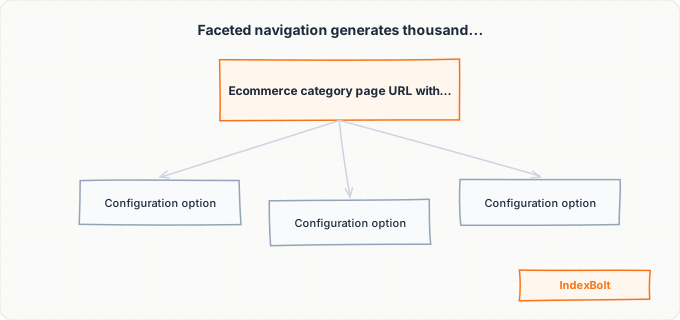
Faceted navigation is the filtering system that lets shoppers narrow products by attributes like size, color, price range, brand, and material. While essential for user experience, it is one of the most destructive forces for ecommerce indexing because it generates an astronomical number of URL variations.
Consider a clothing category with filters for size (10 options), color (15 options), material (5 options), price range (4 options), and brand (20 options). The mathematical combinations produce tens of thousands of unique URLs, each showing a slightly different subset of the same products. A site with 50 categories can generate millions of faceted URLs.
The diagnostic sign is seeing a massive number of parameter URLs in Google Search Console's Pages report under "Crawled - currently not indexed" or "Duplicate, Google chose different canonical." If you see URLs like /shoes?color=red&size=10&brand=nike in these reports, faceted navigation is consuming your crawl budget.
Solutions, from most to least aggressive:
- 1Block via `robots.txt` — disallow crawling of URLs with filter parameters entirely
- 2Add `noindex,follow` meta tags to faceted pages so Google can still follow links to product pages but will not try to index the filtered pages
- 3Implement canonical tags on all faceted URLs pointing back to the unfiltered category page
- 4Use JavaScript-based filtering that updates the page without changing the URL — if the URL does not change, Google only sees the unfiltered version
Some faceted pages are genuinely valuable for SEO. A page showing all red Nike running shoes might target a legitimate search query. For these high-value combinations, create dedicated static landing pages with unique content rather than relying on the dynamically-generated faceted URL.
Product Variants and Configurable Product Duplicates
Product variants create a unique duplication challenge distinct from the manufacturer description problem. When a product comes in multiple sizes, colors, or configurations, ecommerce platforms handle this in different ways — and some approaches create serious indexing problems.
How platforms handle variants (and the problems):
- Separate URLs per variant — a t-shirt in 5 sizes and 8 colors generates 40 individual URLs with nearly identical content. Google indexes at most one, wasting 39 crawl requests.
- Parameter-based URLs like
/t-shirt?color=blue&size=large— slightly better because parameter URLs can be handled with canonical tags, but still generates crawlable URLs that consume budget.
The best practice is to use a single canonical product URL for all variations. Color, size, and configuration options should be handled with on-page selectors (dropdowns, swatches, radio buttons) that do not change the URL.
If your platform generates variant-specific URLs:
- Configure canonical tags on every variant URL pointing to the main product URL
- Ensure your XML sitemap includes only the canonical product URL, not variant URLs
Exception: Products where variants are genuinely different items (for example, phone cases with entirely different designs) may deserve separate indexing. Give each variant unique content — a different product image, a unique variant-specific description, and distinct title tags.
Audit your site for variant URL proliferation by checking Google Search Console for pages with the status "Duplicate, submitted URL not selected as canonical." Clusters of variant URLs in this report mean your canonical tag strategy needs attention.
Out-of-Stock Products and Soft 404 Signals
How your site handles out-of-stock products has a direct impact on indexing. If an out-of-stock product page shows a mostly empty page with just a "sold out" message, Google may classify it as a soft 404 — a page that returns a 200 HTTP status code but contains so little content that Google treats it as a 404 error. Soft 404s are actively excluded from the index.
Check for this in Google Search Console's Pages report. If you see product URLs flagged as "Soft 404," your platform is likely hiding the product description, specifications, and reviews when a product goes out of stock.
For temporarily out-of-stock products:
- Keep the full product page intact — all content, images, descriptions, and reviews visible
- Replace the "Add to Cart" button with a "Notify Me When Available" form
- This preserves the page's indexing value so when the product returns to stock, it immediately generates traffic
For permanently discontinued products:
- Direct replacement exists —
301redirect to the replacement product - No replacement, but category is active —
301redirect to the category page - Product and category both discontinued — return a
410 Gonestatus code to tell Google to remove the page permanently
Avoid returning a standard 404 for discontinued products if the URL had any external backlinks. Those backlinks carry SEO value, and a redirect transfers that value to the destination page.
JavaScript-Rendered Product Details
Modern ecommerce platforms increasingly render product details using client-side JavaScript. Product descriptions, pricing, reviews, variant information, and availability status may all be loaded asynchronously after the initial HTML page loads.
Google's indexing process works in two phases:
- 1First phase — Google crawls the raw HTML and indexes whatever content it finds in the initial server response
- 2Second phase — which may happen hours or even days later, Google renders the page with its JavaScript engine (a headless Chromium browser) and processes additional content
For product pages, this means that if your critical content (product name, description, price, availability) is only rendered by JavaScript, Google may initially see a nearly empty page and classify it as thin content or a soft 404 during the first phase.
To diagnose JavaScript rendering issues:
- Use Google Search Console's URL Inspection tool and compare the HTML source with the rendered page screenshot
- If critical product information is missing from the HTML but visible in the screenshot, your content depends on JavaScript
- Use "View Page Source" (
Ctrl+U) in your browser — not the developer tools inspector, which shows the rendered DOM
Platform-specific fixes:
- Shopify — product content is server-rendered by default, but third-party apps and custom sections may add JS-rendered content
- WooCommerce — core product content is typically server-rendered
- Headless commerce (React, Vue, Angular frontends) — implement SSR or SSG to ensure product details are in the initial HTML response
At minimum, the product name, primary description, price, and availability status must be in the server-rendered HTML.
Step-by-Step Guide
Identify Unindexed Product URLs in Search Console
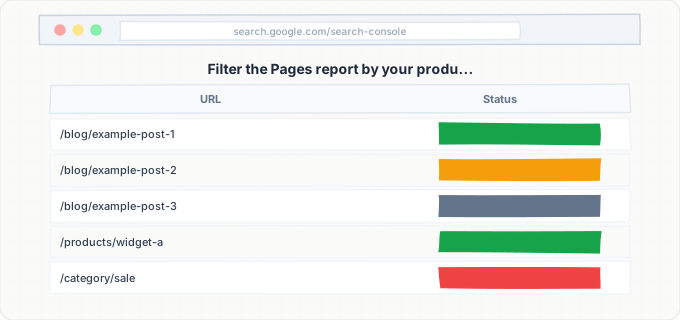
Open Google Search Console > Pages report. Filter by your product URL pattern (/products/, /shop/). Categorize unindexed URLs: "Crawled - currently not indexed" (quality/duplication), "Discovered - currently not indexed" (crawl budget), "Duplicate, submitted URL not selected as canonical" (canonical issues), "Soft 404" (insufficient content). Export for systematic remediation.
Audit Product Content for Uniqueness
Copy a distinctive sentence from 20 unindexed product pages and search Google in quotes. If the same text appears on other retailers, your descriptions are not unique. If more than half are duplicates, start rewriting from your highest-revenue products with two to three original paragraphs per product.
Analyze and Control Faceted Navigation URLs
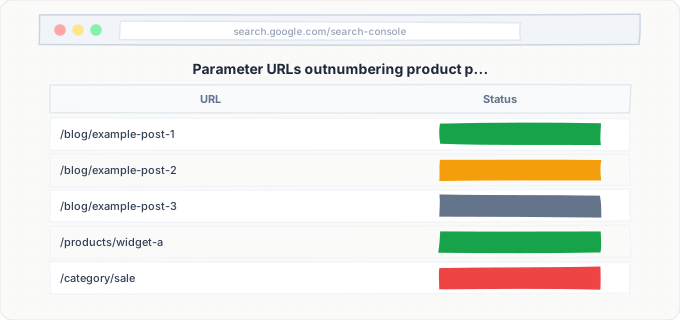
Search the Pages report for URLs containing ? or filter parameters. If parameter URLs outnumber product pages by 5x or more, implement controls: robots.txt disallow rules, noindex tags on faceted pages, canonical tags pointing to clean category URLs, or JavaScript-based filtering that does not modify the URL.
Resolve Product Variant Duplication
Export your full product URL list from your ecommerce platform and identify products with variant-specific URLs. Check whether each variant URL has a canonical tag pointing to the main product URL.
If variant URLs lack canonical tags or have self-referencing canonicals, they are competing with each other for indexing.
Actions:
- Configure your platform to set canonical tags on all variant URLs pointing to the primary product URL
- Remove variant URLs from your XML sitemap, keeping only the canonical product URLs
- For platforms that cannot easily modify variant canonicals, use URL parameter handling in Google Search Console to tell Google how to treat variant parameters
Fix Soft 404 Issues on Out-of-Stock Products
Filter Google Search Console's Pages report for the "Soft 404" reason and identify product URLs in the list. Visit each flagged product page and assess the content visible to users.
If out-of-stock pages show minimal content:
- Update your template to display the full product description, images, specifications, and reviews regardless of stock status
- Replace the purchase button with back-in-stock notification functionality
For permanently discontinued products:
- Implement `301` redirects to replacement products or parent category pages
After making template changes, use the URL Inspection tool to request re-crawling of affected URLs.
Test JavaScript Rendering of Product Content
Use Google Search Console's URL Inspection tool on five to ten product pages. For each, click "Test Live URL" and compare:
- The HTML source (what Google sees on first crawl)
- The rendered screenshot (what Google sees after JavaScript execution)
If the product name, description, price, or reviews are missing from the HTML but visible in the screenshot, your content depends on JavaScript rendering. Implement server-side rendering for critical product fields.
As a quick validation after fixes, view the page source in your browser (Ctrl+U) and confirm that product title, description, and price appear in the raw HTML without any JavaScript execution.
Submit Priority Products for Indexing
After addressing the root causes above, create a prioritized list of product pages for indexing submission. Start with your top-revenue products and work down. Use Google Search Console's URL Inspection to request indexing for up to 10 to 20 products per day, or use IndexBolt to submit product URLs in bulk. For large catalogs with hundreds of unindexed products, manual submission through Search Console is impractical. IndexBolt's bulk submission lets you submit your entire product catalog and get pages into Google's index within hours instead of waiting for Google's natural crawl cycle to reach each product organically.
Common Issues & How to Fix Them
Product pages show "Duplicate, submitted URL not selected as canonical" in Search Console
Cause: Google found the same product content on multiple URLs and chose a different URL as the canonical version. This commonly happens with product variants (color/size URLs), HTTP/HTTPS duplicates, www/non-www duplicates, or trailing slash inconsistencies. It also occurs when the same product appears on multiple category paths like /shoes/nike-air-max and /sale/nike-air-max.
Fix: Implement consistent self-referencing canonical tags on every product page. Ensure only one URL path exists per product. If your platform generates multiple category-based paths to the same product, pick one as canonical and redirect or canonicalize the others. Verify that your internal links consistently point to the canonical URL version and that your sitemap only includes canonical URLs.
Thousands of parameter URLs appearing in crawl stats but product pages are not indexed
Cause: Faceted navigation is generating parameter URL combinations faster than Google can crawl your actual product pages. Google is spending its entire crawl budget on filter combinations rather than individual product URLs. A site with 5,000 products but 200,000 faceted URLs will see Google prioritize crawling the faceted pages because they appear on category listings and receive more internal links.
Fix: Add robots.txt rules to block crawling of faceted parameter URLs. Add noindex,follow tags to any faceted pages that are still crawled. Implement canonical tags on faceted pages pointing to the clean category URL. Consider migrating faceted navigation to JavaScript-based filtering that does not modify the URL. After blocking faceted URLs, monitor crawl stats over two to four weeks to see if Google reallocates crawl budget to product pages.
New products are indexed but older products drop out of the index over time
Cause: Google periodically reevaluates whether indexed pages still deserve their place in the index. Older product pages with manufacturer duplicate descriptions, no reviews, no recent updates, and declining traffic signals are candidates for removal. This is especially common during Google's broad core algorithm updates, which raise the quality bar for indexed pages.
Fix: Refresh older product pages with updated descriptions, new customer reviews, current pricing information, and recently added comparison content. Update the lastmod date in your sitemap when making meaningful content changes. Establish a quarterly review process where you audit older product pages for content quality and refresh the bottom performers.
Product pages indexed without rich results (price, rating, availability)
Cause: While this is not strictly an indexing problem, missing structured data prevents your product pages from appearing with rich snippets in search results, reducing click-through rates and the indirect engagement signals that help maintain long-term indexing. Missing or malformed Product schema markup, JSON-LD errors, or JavaScript-rendered structured data that Google cannot parse are common causes.
Fix: Implement Product schema markup using server-rendered JSON-LD on every product page. Include required properties: name, description, image, sku, offers (with price, currency, availability). Add optional properties like aggregateRating if you have reviews, and brand. Validate your markup using Google's Rich Results Test tool. Ensure the JSON-LD is in the HTML source, not injected by JavaScript.
Session IDs or tracking parameters in product URLs
Cause: Some ecommerce platforms append session IDs, affiliate tracking codes, or analytics parameters to product URLs. This creates unique URLs for every visitor session, potentially generating millions of duplicate URLs that Google wastes crawl resources on. Even if canonical tags are in place, the sheer volume of crawlable duplicate URLs can overwhelm your crawl budget.
Fix: Configure your platform to not append session IDs to URLs. Use cookies instead of URL parameters for session tracking. For affiliate and analytics tracking, ensure parameters are not crawlable by adding them to robots.txt disallow rules or by using JavaScript to append them only on the client side after page load. In Google Search Console, configure URL parameter handling to tell Google to ignore session and tracking parameters.
Pro Tips
Your product catalog is losing sales every day it is not indexed. IndexBolt submits product page URLs directly to Google's indexing API, getting your products into search results in hours rather than weeks. Submit your entire catalog in one batch and start capturing organic shopping traffic immediately.
100 free credits. No credit card required. See results in under 24 hours.
Frequently Asked Questions
How many product pages can Google realistically index on my ecommerce site?+
There is no hard limit. Indexing capacity scales with your site's authority and content quality. New stores may struggle beyond a few hundred pages; established retailers can have millions indexed. Focus on **unique content per page**, crawl efficiency, and site authority before force-indexing a massive catalog.
Should I noindex out-of-stock products?+
Generally no, unless permanently discontinued. Keep the full page visible with a **back-in-stock notification** replacing the buy button. Removing indexed pages loses accumulated rankings. Only redirect or noindex products that are permanently gone and cluttering crawl budget.
Do product images affect whether Google indexes my product pages?+
Images contribute to quality assessment. A page with only a stock photo and one-line description is likely classified as thin content. **Original product photos** with descriptive alt text improve both indexing likelihood and Google Image search visibility.
My competitor's product pages are indexed but mine are not, even though we sell the same products. Why?+
Google picks the duplicate content version with the most value. Your competitor may have higher authority, more reviews, or more unique content. Exceed them on at least one dimension: **better descriptions, more reviews, comparison guides, or video content**.
Should I create separate pages for every product color and size variant?+
No. Simple size and color variants should be options on a **single canonical product URL**. Separate pages create duplicate content and fragment link equity. The exception is substantially different products (like unique phone case designs) that target different search queries.
How does Google handle product pages with dynamic pricing?+
Dynamic pricing does not block indexing but can cause stale prices in search snippets. Keep **Product schema** reflecting current prices, and update sitemap `lastmod` dates when prices change. Use IndexBolt to prompt recrawls for time-sensitive pricing updates.